Beta
A trivia scoreboard that keeps up with the room
Scoring is where most trivia nights slow down. QuizTreff keeps one live scoreboard for every team in the room, whether they answer on a phone or on paper, so you spend your time hosting instead of adding up sheets.
No credit card needed to try it.
Live scoring without the spreadsheet
Answers from phones are scored the moment you reveal a question. The scoreboard updates on its own, and you can put it on the big screen after any round with one tap in the host console. There is no laptop spreadsheet to keep in sync and no second person needed just to keep score.
For questions where close answers deserve credit, you judge them in the console and the points follow. Every team sees a result they can trust, and you see the same numbers the room sees.
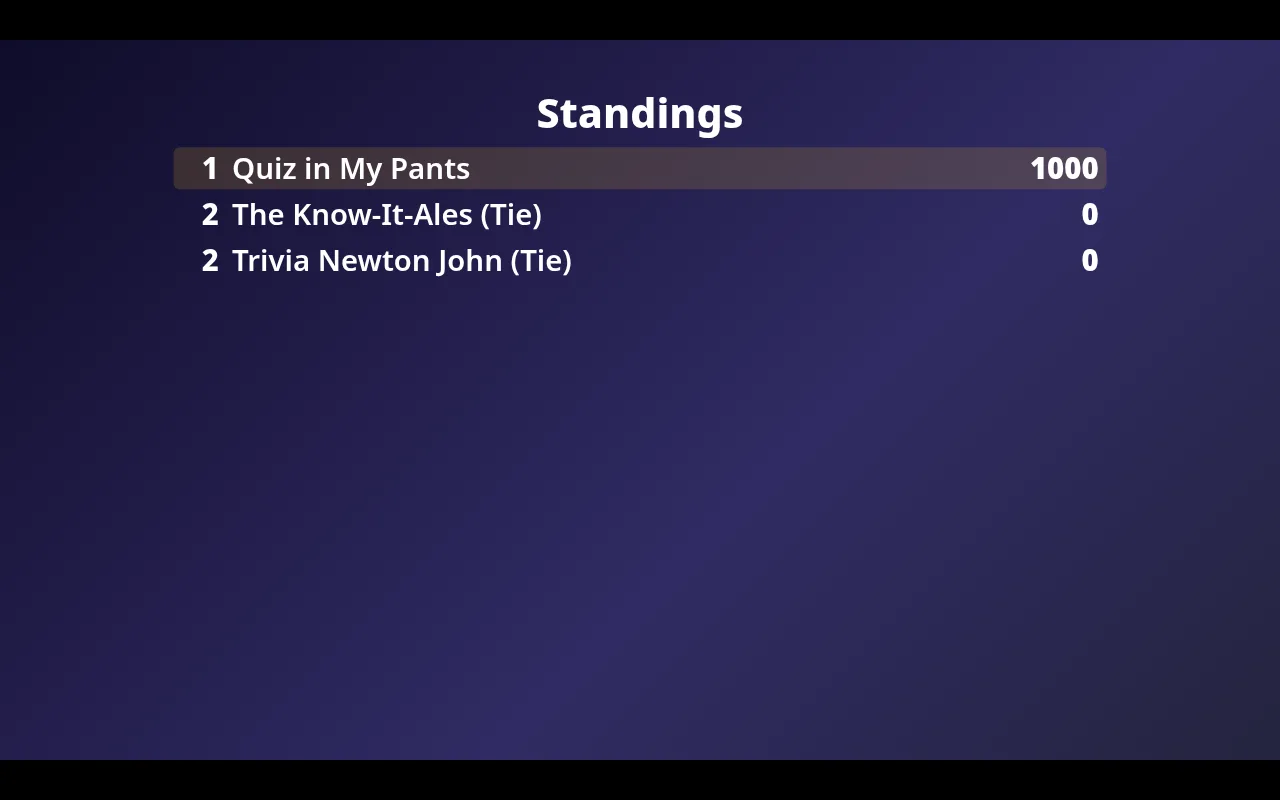
Between rounds, the standings on the big screen give the room something to react to. Teams near the top start playing it safe, teams further down take more risks, and the last rounds stay interesting for everyone instead of only the two leading tables.
Phone teams and paper teams in one table
Some tables love answering on a phone, others want a pen and a printed sheet. You do not have to pick. Paper teams play from printed PDF answer sheets, and after each round you enter their points in the console. They land in the same scoreboard as phone teams, ranked side by side.
Printing an answer key for yourself makes grading paper sheets quick, and mixed nights stop feeling like two separate games.
Every correction is on record
Disputes happen. A team argues that its answer should count, or you notice a typo in your own answer key. When you correct a score, you enter a reason, and the change goes into the score log with the time and the reason attached.
That log is there when a regular asks the next week why they lost a point, and it keeps rulings consistent when you host at more than one venue. Nothing changes silently on the scoreboard.
Wagers, ties and tiebreakers
A wager round adds drama near the end of the night. Teams bet points on their answer, and after the reveal the big screen shows who bet what and how it changed the table. Teams can only wager what the rules allow, so the math always adds up.
When two teams finish on the same score, the scoreboard shows a tie instead of picking a winner at random. You decide it with a tiebreaker question, usually a number question where the closest guess wins. The screen shows each guess and its distance from the answer, so the room can see why a team won.
Final standings that end the night right
When you close the night, the final standings go up on the big screen with the winner, or with the teams still tied if you chose not to break the tie. If the night is part of a season, the results count toward the league table right away.
- Reveal the last question and score any paper sheets.
- Play a tiebreaker if teams are tied for a prize.
- Show the final standings on the big screen.
- Close the night so the results are saved and count toward the season.
What you can do with it
Paper and phones together
Enter scores for paper teams yourself. They share one leaderboard with phone teams.
Printable answer sheets
PDF answer sheets for teams and an answer key for you, ready to print.
Traceable corrections
Every score change is logged with a reason, even after the night ends.
Wager round
Teams bet points on their answer, win them if right, lose them if wrong.
Tiebreaker
A closest-number question settles ties.
Big-screen view
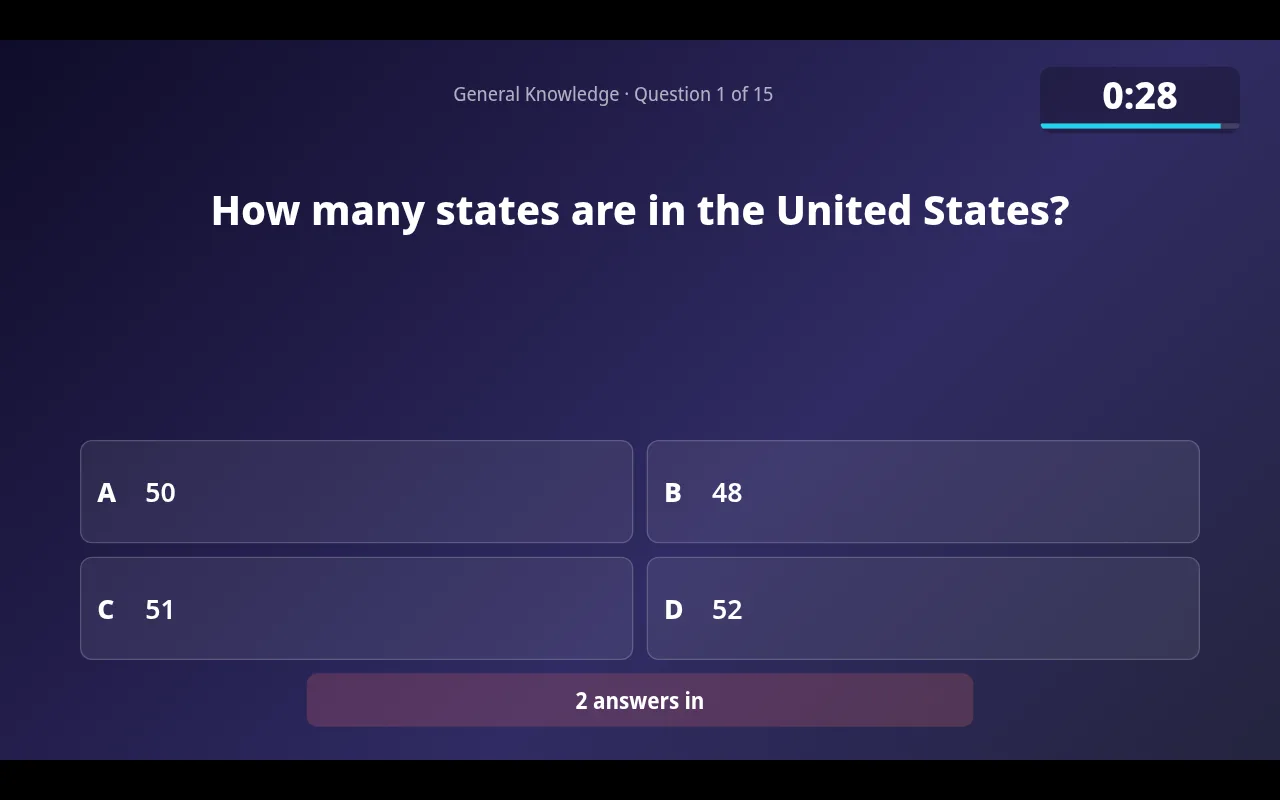
Questions, countdown, reveal and standings for a projector or TV, with a QR code to join.
Seasons and leagues
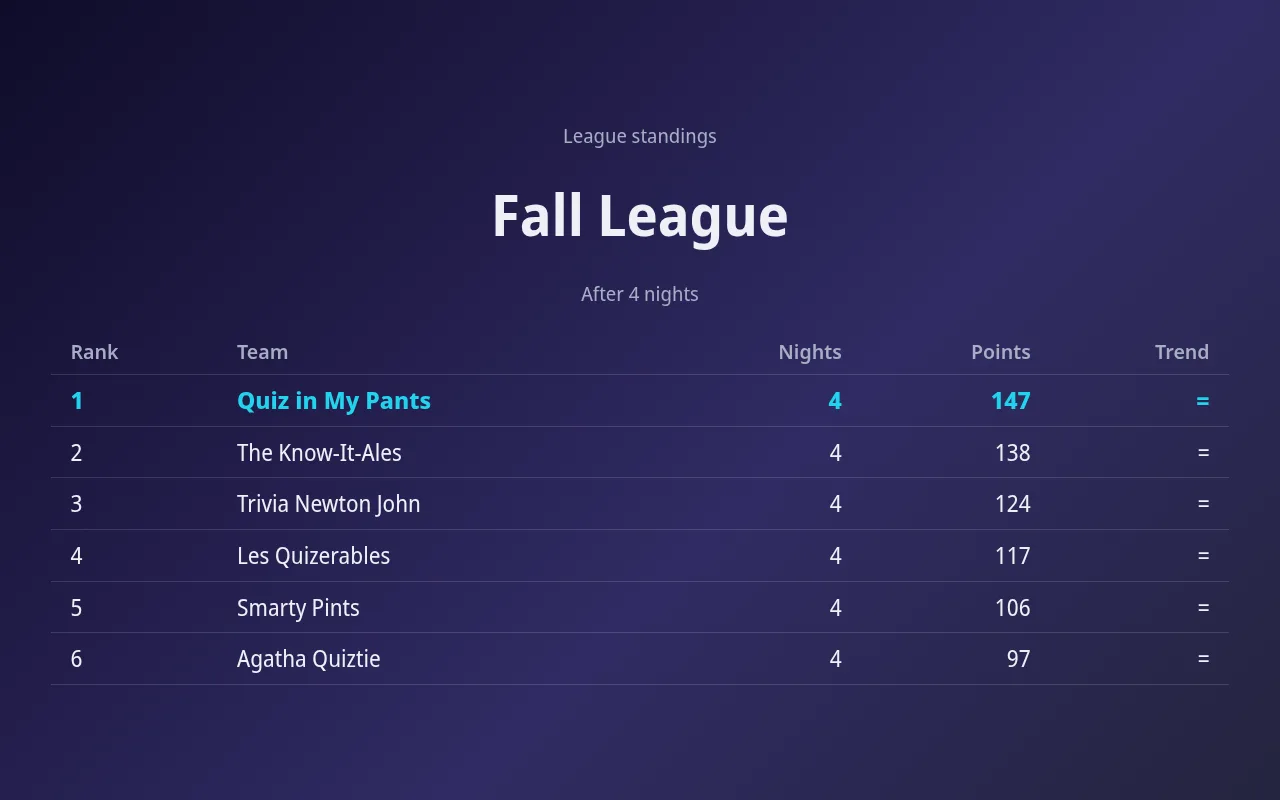
Standings across many nights, total or best results, with a big-screen view.
Tested for nights with up to 200 players.
See it in action
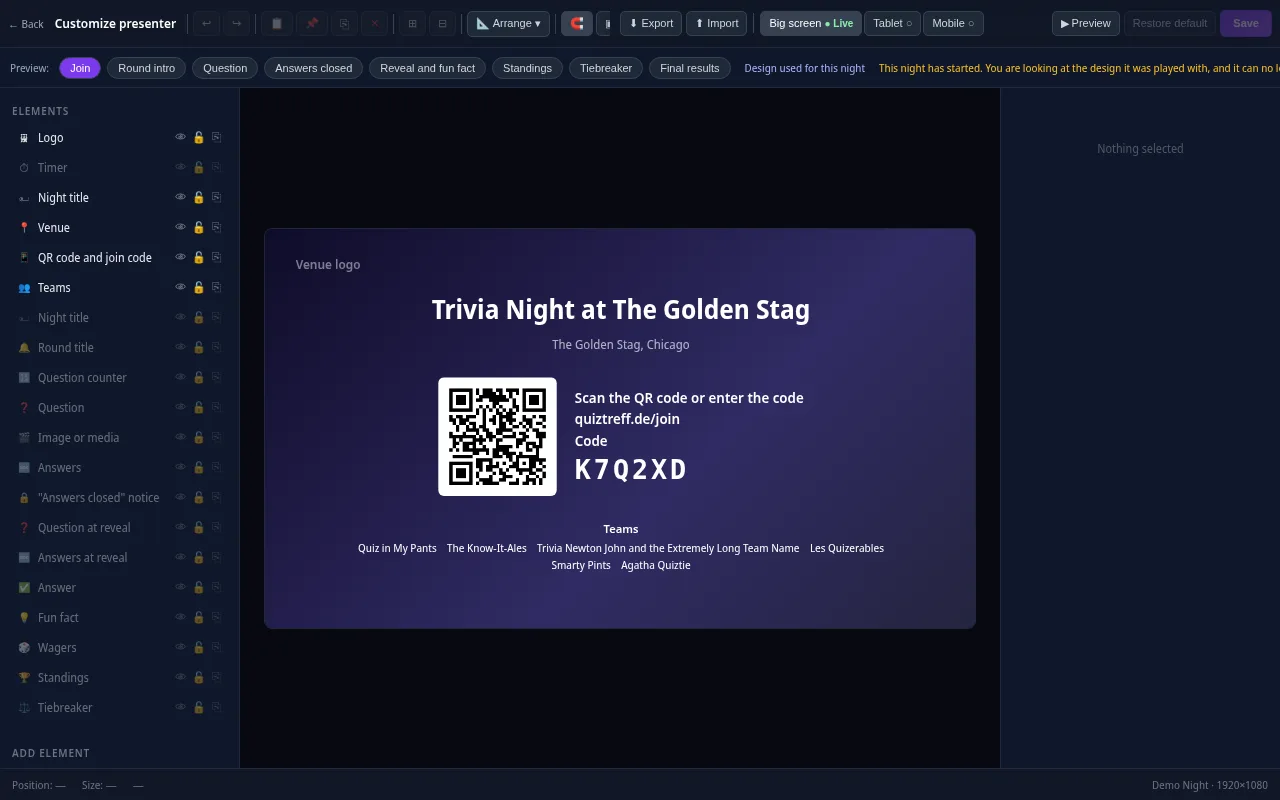
Presenter editor
Design your presenter screen down to the pixel
Every trivia night looks the way your venue wants it to. Drag the question, answers, timer, QR code and standings anywhere and resize them with your mouse.
- Move and resize every element freely, with guides and a grid
- Colors, font size, borders, corners, shadows and opacity for every element
- Upload your own images and add free text, boxes and badges
- Design eight screens separately: join, round start, question, answers locked, reveal, standings, tiebreaker and final results
- Preview for projector, tablet and phone, also in full screen
- Save it as a template and apply it to a venue or a whole series
Included in every plan, also during the free trial.
Frequently asked questions
Can paper teams and phone teams compete in one scoreboard?
Yes. You enter points for paper teams after each round, and they are ranked alongside phone teams in the same table.
What happens if I make a scoring mistake?
You correct the score in the host console and enter a reason. The change is saved in the score log, so you can check it later.
How are ties handled?
The scoreboard shows a tie instead of choosing a winner. You can break it with a tiebreaker question where the closest answer wins.
Can the scoreboard count toward a league?
Yes. If the night belongs to a season, the final results count toward the season standings when you close the night.
Plan your first trivia night
Add your venue, pick a quiz and run a test night before your first teams show up.
Try it now