Beta
Trivia presenter software for your big screen
The big screen is what the whole room watches. QuizTreff turns any TV or projector into a trivia screen that follows the night step by step, and you decide exactly how it looks.
No credit card needed to try it.
One screen that follows the night
You run the night from the host console, and the big screen changes with you. Before the first round it shows the join screen with your QR code. When you announce a round, the round title fills the screen. When you open a question, the room sees the question, the answer options and the countdown.
You never have to switch windows, drag slides around or share your laptop screen with the room. The presenter view is its own page, opened once on the TV, and it updates by itself every time you press the next button in the console.
What the room sees at each step
Every state of the night has its own screen, so the room always knows what is happening.
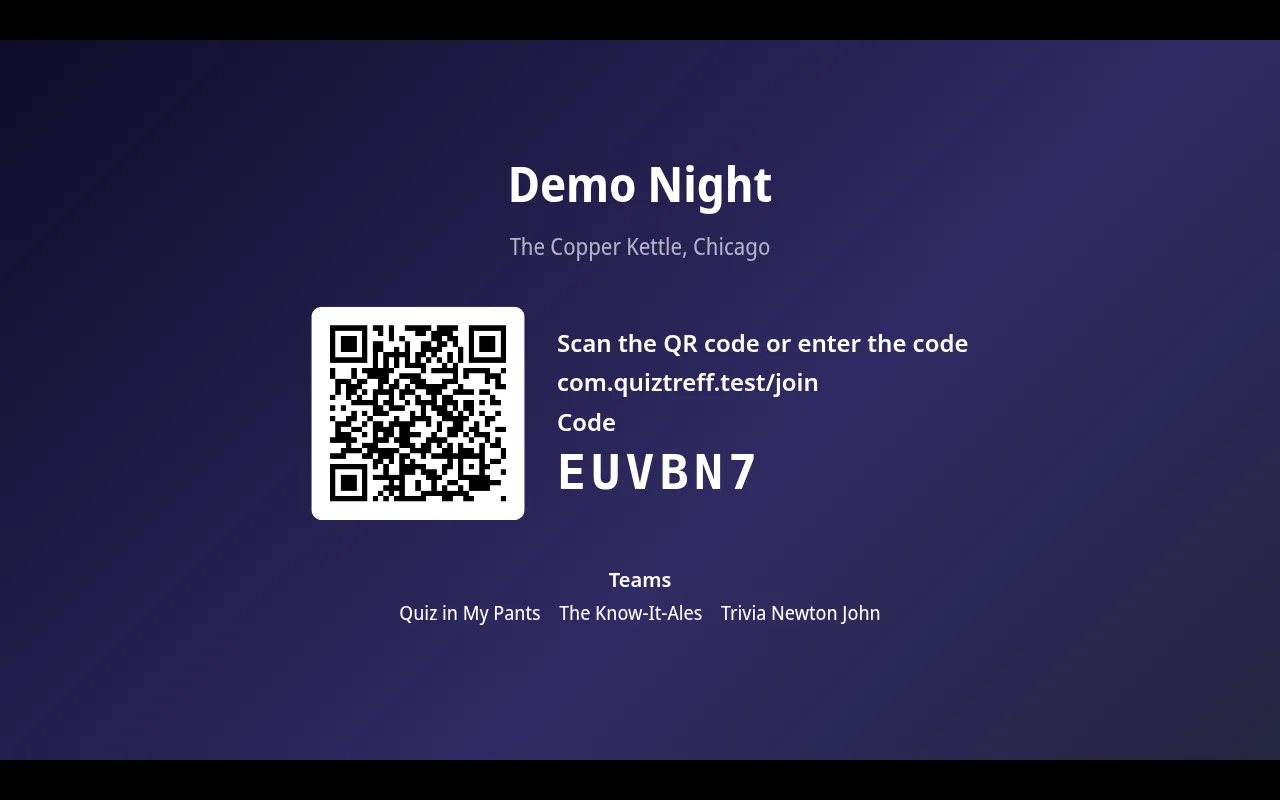
- Join: night title, venue, QR code, join code and the teams that already joined.
- Round intro: the round title in large type while teams get ready.
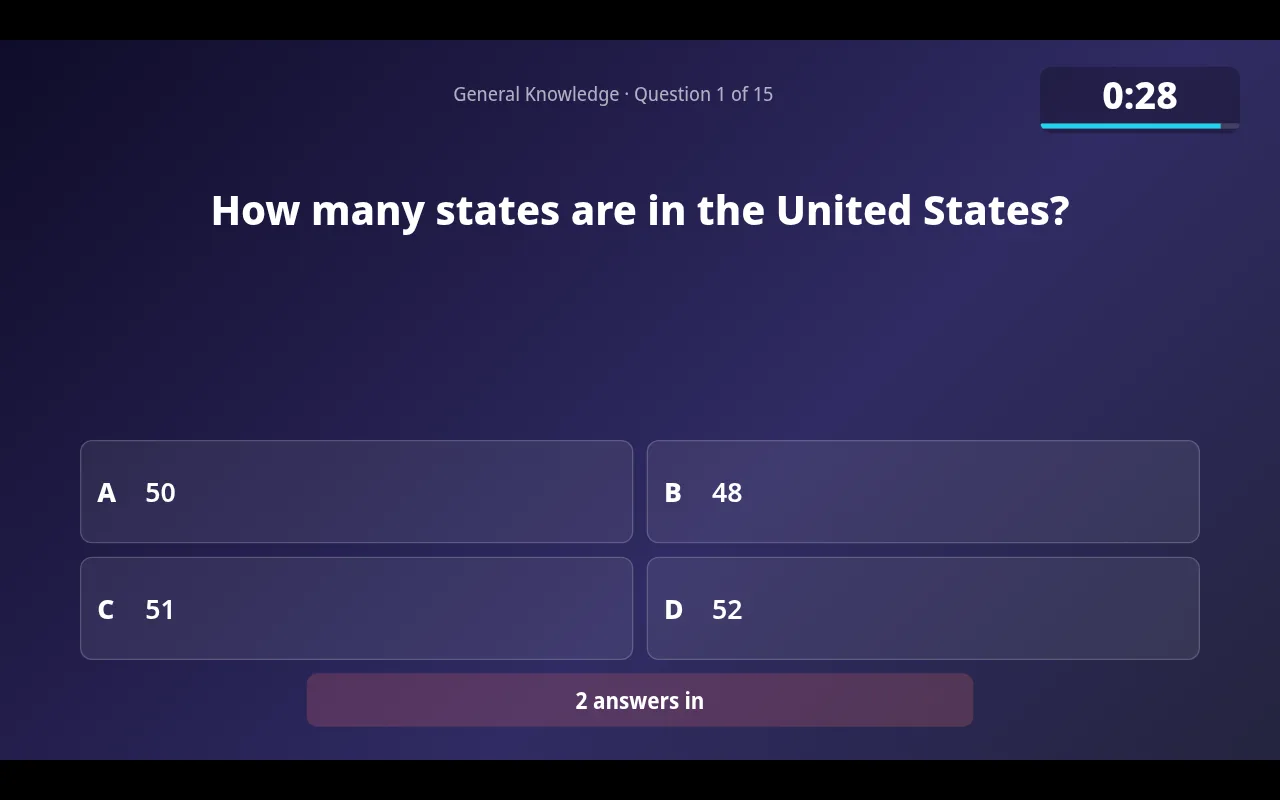
- Question: the question, answer options, any image, the countdown and how many answers are in.
- Answers closed: a clear notice when time is up and answers are locked.
- Reveal: the correct answer, how the room answered and an optional fun fact.
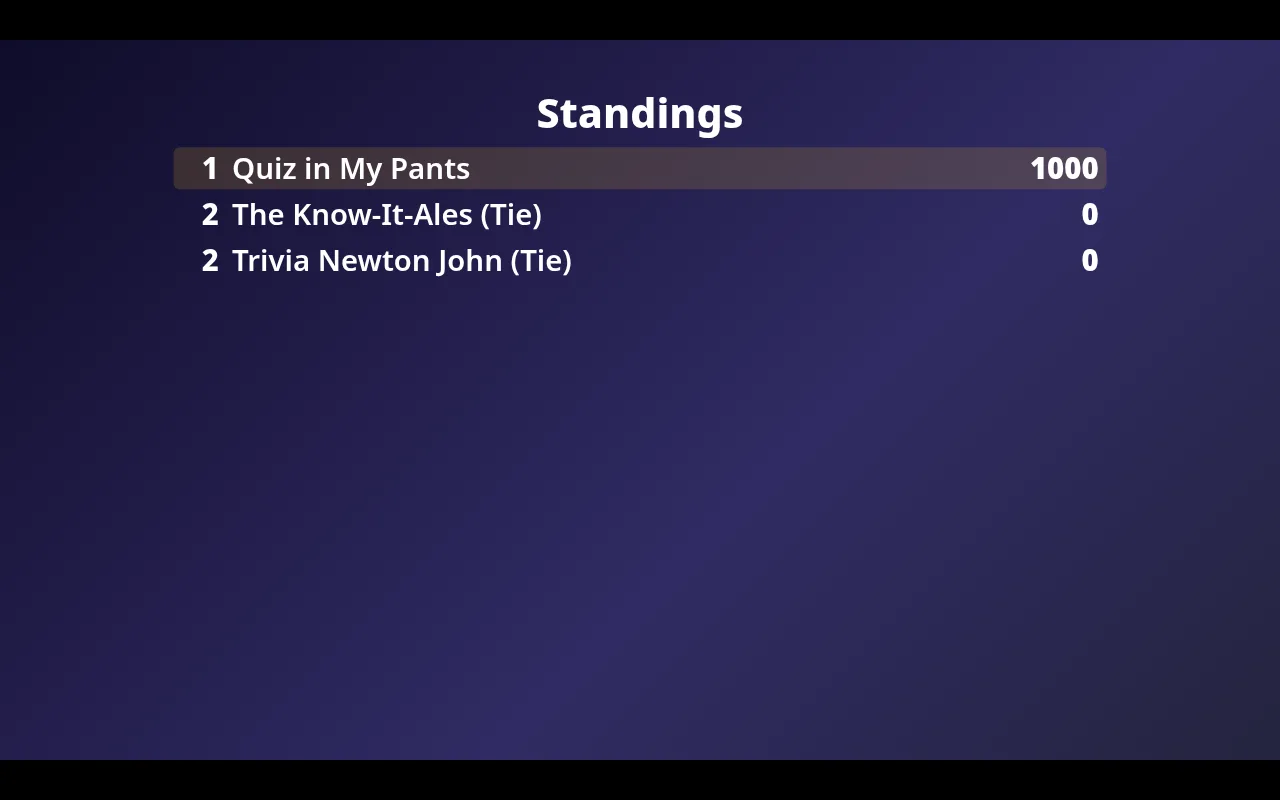
- Standings and final results: the leaderboard, with ties shown honestly instead of a fake winner.
Design the big screen yourself
Every bar has its own look, and the screen should match it. In QuizTreff you open the layout editor and move, resize and restyle every element on the big screen. Set the background, pick colors and fonts, add your own text and decide exactly where the question, the timer and the QR code sit.
Preview each state of the night in the editor before you go live, from the join screen to the final results. Save a design for a single night, for a recurring night or for the whole venue. Once a night starts, its design is locked in, so a later change never alters a night you already played.
Setting it up at the venue
All you need is a screen the room can see and a device that can open a web page. Most hosts plug a laptop into the venue TV with an HDMI cable and run the host console on a phone or tablet. Others open the presenter link on a smart TV browser or a small stick computer and keep the laptop on the host stand.
The presenter page fits itself to the screen, from a small bar TV to a large projector, and keeps the layout in proportion so nothing gets cut off. If the venue Wi-Fi drops for a moment, the screen reconnects on its own and picks up where the night is.
Built so the screen never gives answers away
The big screen only shows what the room is allowed to see at that moment. Correct answers, fun facts and wager results reach the presenter only after you reveal the question. Your layout decides where things appear on screen, never what data is sent to it, so a creative design cannot leak an answer early.
What you can do with it
Big-screen view
Questions, countdown, reveal and standings for a projector or TV, with a QR code to join.
Design your big screen
Place and size every element on the big screen and pick colors and fonts, for one night, a recurring night or a whole venue. Once a night starts, its design is locked in.
Host console
Run rounds, questions, timer and reveals from a laptop or tablet.
Play on phones
Teams join with a code or QR code and answer in the browser. No app to install.
Automatic answer lock
Answers close when the timer runs out.
Answer explanations
A short explanation appears on the big screen after the reveal.
Rejoin after dropouts
Players who reload or lose signal return to their team.
Your own logo
Upload your logo and your own images for each venue. They appear on the big screen, and only your account can use them.
Tested for nights with up to 200 players.
See it in action
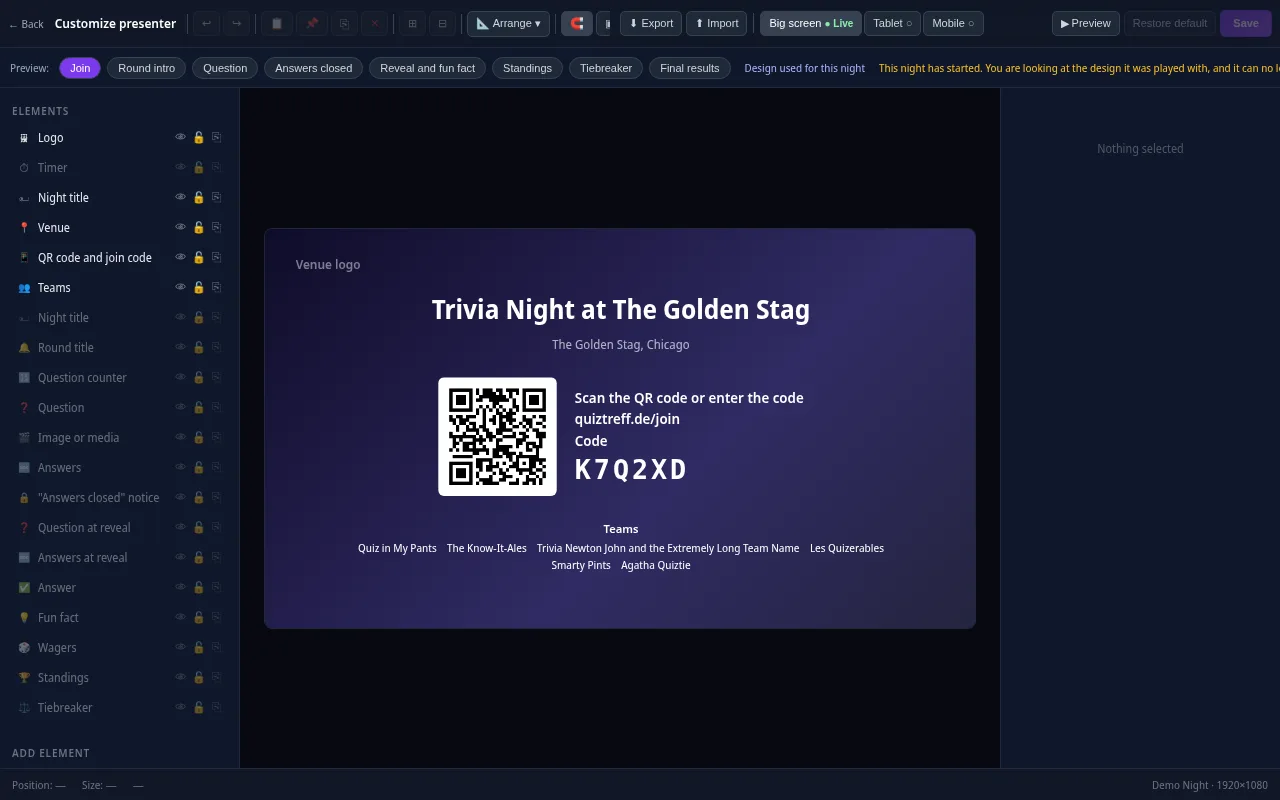
Presenter editor
Design your presenter screen down to the pixel
Every trivia night looks the way your venue wants it to. Drag the question, answers, timer, QR code and standings anywhere and resize them with your mouse.
- Move and resize every element freely, with guides and a grid
- Colors, font size, borders, corners, shadows and opacity for every element
- Upload your own images and add free text, boxes and badges
- Design eight screens separately: join, round start, question, answers locked, reveal, standings, tiebreaker and final results
- Preview for projector, tablet and phone, also in full screen
- Save it as a template and apply it to a venue or a whole series
Included in every plan, also during the free trial.
Frequently asked questions
Do I need special hardware for the big screen?
No. Any TV or projector that can show a web page works, usually through a laptop connected with an HDMI cable.
Can I change how the screen looks?
Yes. The layout editor lets you place and size every element, choose colors and fonts and save designs for a night, a recurring night or a venue.
Will changing my design affect last week's night?
No. A night keeps the design it started with. Later changes only apply to nights that have not started yet.
Can the screen show answers too early?
No. The correct answer only reaches the big screen after you reveal the question in the host console.
Plan your first trivia night
Add your venue, pick a quiz and run a test night before your first teams show up.
Try it now