Beta
Trivia night software for bars, breweries and hosts
QuizTreff runs your trivia night from one laptop: teams answer on their phones or on paper, the big screen shows the countdown and the standings, and you keep control of every point.
No credit card needed to try it.
Phones, paper or both on the same night
Some teams show up with five phones on the table. Others want a pen and an answer sheet, the way trivia night has always worked. QuizTreff does not make you pick one crowd over the other. Phone teams join in the browser with a code or by scanning the QR code on the screen, and paper teams get printed answer sheets that you or your staff score at the host table.
Both kinds of teams land on one leaderboard. When you enter a paper team's round score, it shows up next to the phone teams in the same standings, so nobody feels like they are playing a second-class version of the game.
Who QuizTreff is for
QuizTreff is built for the people who actually stand at the mic on a Tuesday night. That includes bar owners who want a dependable weeknight crowd, brewery taprooms that want something better than another open mic, restaurants filling slow evenings, and independent trivia hosts or event companies who run nights at several venues every week.
- Bars and pubs running weekly trivia for their regulars
- Breweries and taprooms with a big room and a mixed crowd
- Restaurants that want a table-based game during dinner service
- Trivia hosts and KJ/DJ style hosts who already work the local circuit
- Event companies that manage trivia at many venues
How a night works
You write your questions and set up the rounds before the night. At the venue, you open the host console on a laptop or tablet and put the presenter view on the TV or projector. From there, the night follows a rhythm your regulars will learn quickly.
- Teams join by code or QR code, or pick up a paper answer sheet at the host table.
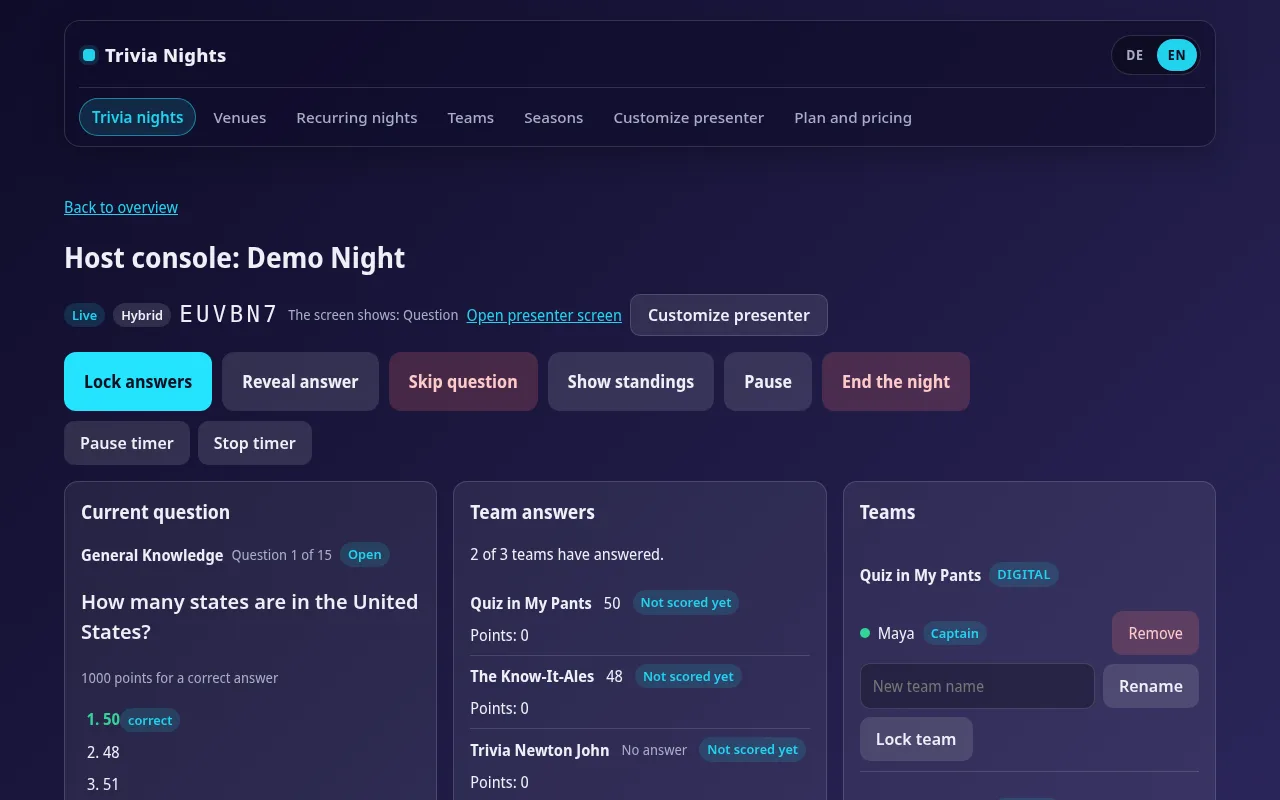
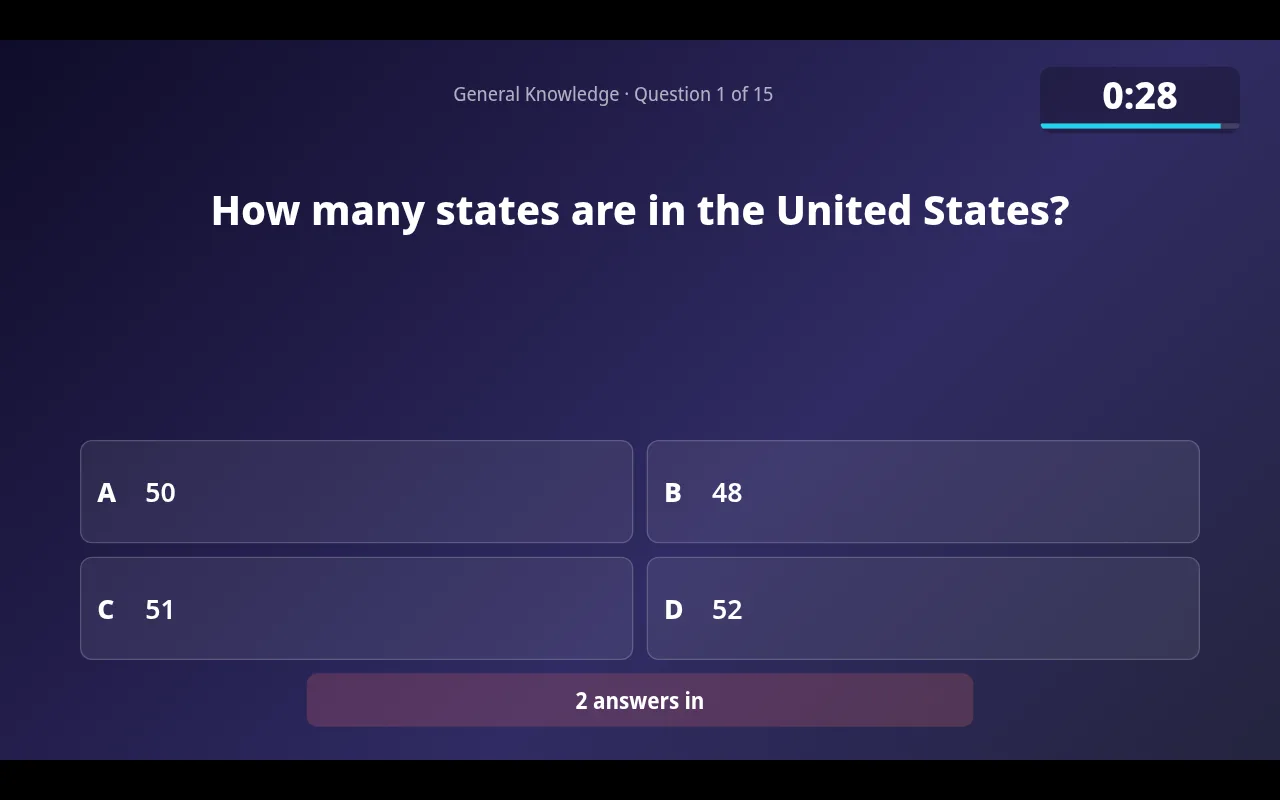
- You start each question. The big screen shows it with a countdown, and answers lock automatically when time runs out.
- You reveal the answer, with a short explanation if you added one, and check any answers that need a judgment call.
- After each round, the standings go up on the screen so every table knows where it stands.
- A final wager round and a closest-number tiebreaker settle the night if it comes down to the wire.
Built for weekly trivia, not a one-off party game
Most party quiz tools are made for a single game. Bar trivia is different: it happens every week, the same teams come back, and people care about who has been winning all month. QuizTreff creates your recurring nights automatically, keeps regular teams and their results from night to night, and can run seasons or leagues that add up totals or count each team's best results.
When you correct a score, QuizTreff records the change and the reason. If a team asks on Thursday why they lost a point on Tuesday, you can show them.
Getting started
QuizTreff is currently in beta. You can try it without a credit card: set up a night, open the presenter view on a second screen, join as a test team from your phone and play a round against yourself before you take it to the venue. It has been tested with nights of up to 200 participants, which covers a packed bar or a large taproom.
If you want new teams to find you, you can list your venue and trivia dates publicly. Nights can run in English or German, which helps if you host for an international crowd.
What you can do with it
Play on phones
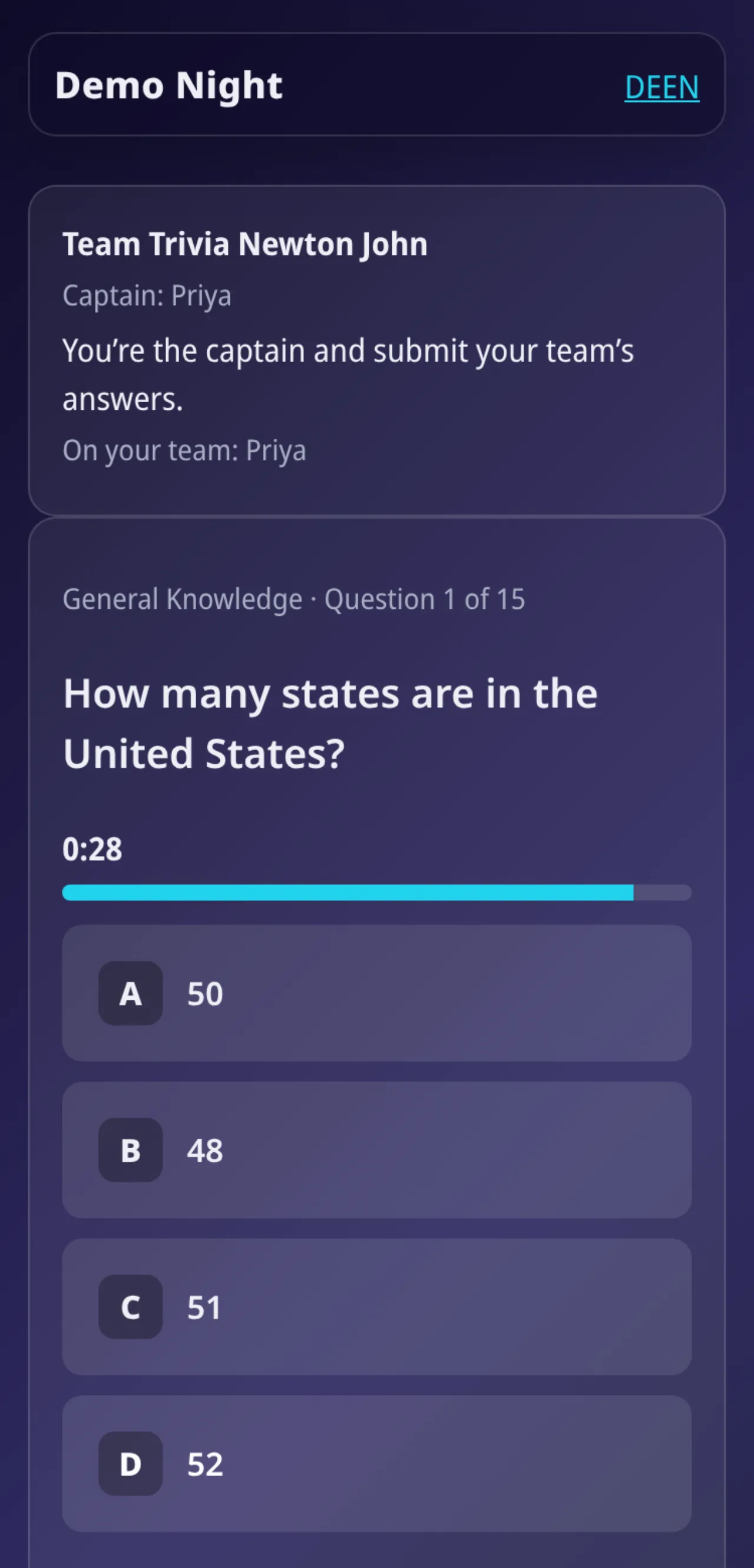
Teams join with a code or QR code and answer in the browser. No app to install.
Printable answer sheets
PDF answer sheets for teams and an answer key for you, ready to print.
Paper and phones together
Enter scores for paper teams yourself. They share one leaderboard with phone teams.
Big-screen view
Questions, countdown, reveal and standings for a projector or TV, with a QR code to join.
Host console
Run rounds, questions, timer and reveals from a laptop or tablet.
Recurring nights
Weekly or monthly nights are created ahead of time automatically.
Seasons and leagues
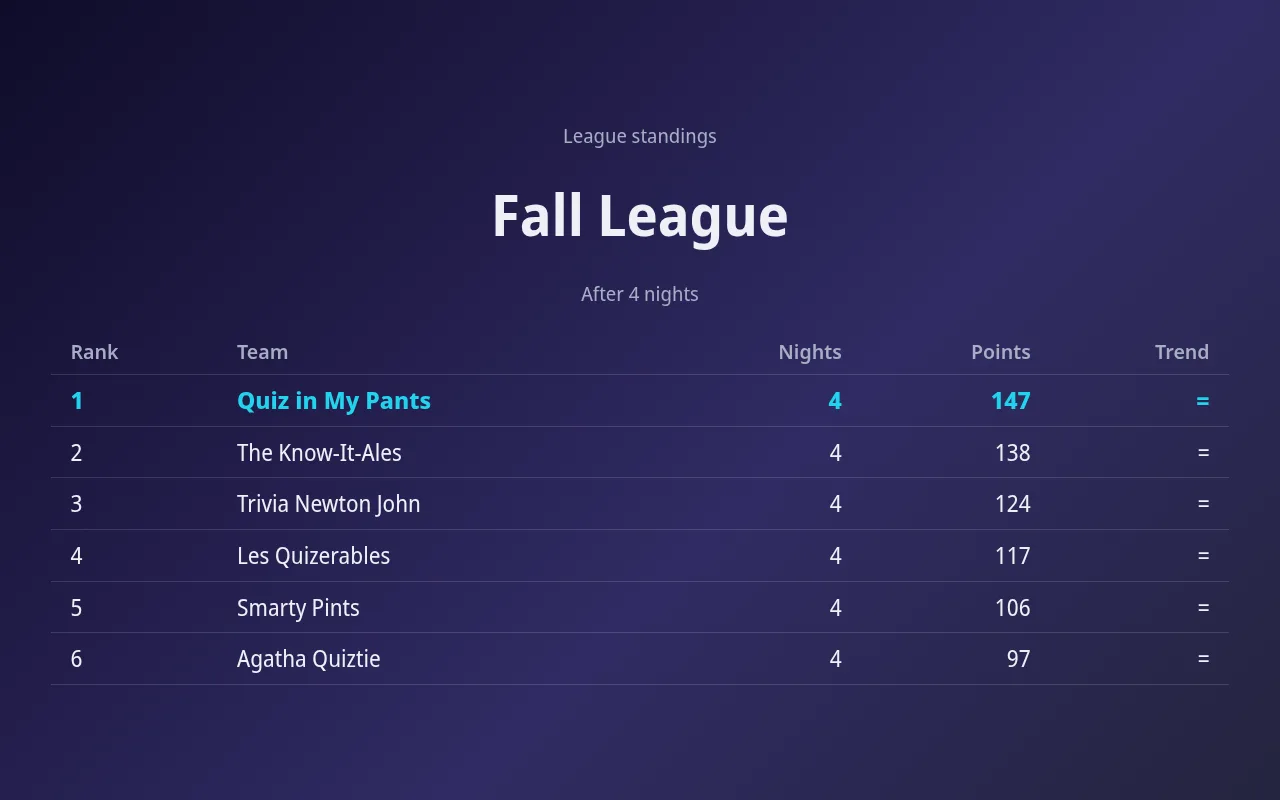
Standings across many nights, total or best results, with a big-screen view.
Public listings
If you choose, your venue and dates appear on a public page so new teams can find you.
Tested for nights with up to 200 players.
See it in action
Presenter editor
Design your presenter screen down to the pixel
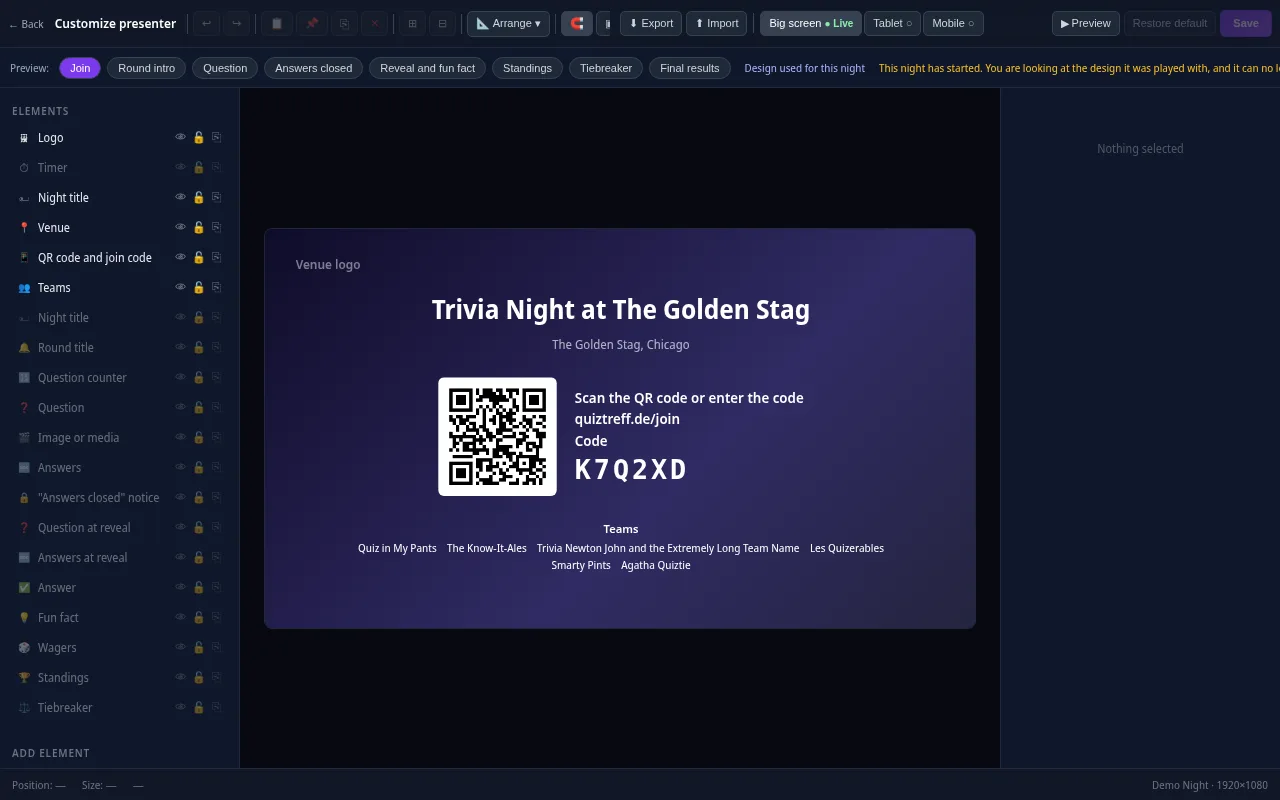
Every trivia night looks the way your venue wants it to. Drag the question, answers, timer, QR code and standings anywhere and resize them with your mouse.
- Move and resize every element freely, with guides and a grid
- Colors, font size, borders, corners, shadows and opacity for every element
- Upload your own images and add free text, boxes and badges
- Design eight screens separately: join, round start, question, answers locked, reveal, standings, tiebreaker and final results
- Preview for projector, tablet and phone, also in full screen
- Save it as a template and apply it to a venue or a whole series
Included in every plan, also during the free trial.
Frequently asked questions
Do players need to download an app?
No. Teams join in the phone's browser by typing the code or scanning the QR code shown on the big screen.
Can teams play on paper?
Yes. You can print answer sheets and an answer key as a PDF. Paper teams and phone teams appear together on one leaderboard.
Does QuizTreff come with questions?
A short 15-question starter quiz is included so you can run a test night right away. For your regular nights you write your own questions and rounds, and QuizTreff handles the timing, answers, scoring and standings.
What equipment do I need?
A laptop or tablet for the host console and a TV or projector for the presenter view. A printer helps if you want paper answer sheets.
How do I try it?
QuizTreff is in beta, and you can try it without a credit card. Set up a test night and play a round from your own phone before your first real night.
Plan your first trivia night
Add your venue, pick a quiz and run a test night before your first teams show up.
Try it now