Beta
Software for trivia hosts and trivia companies
When you host at four bars a week, the hard part is keeping every venue organized. QuizTreff gives each venue its own recurring series and season standings, all in one account.
No credit card needed to try it.
One setup per venue, kept separate
Your Monday brewery and your Thursday sports bar are different nights with different crowds. In QuizTreff, each venue runs as its own recurring series. Dates are created automatically, regular teams belong to that venue, and season standings at one bar never mix with another.
That keeps the conversation simple when a manager asks how trivia is going. You open their series and see every night, every team and every season result for that venue alone.
Templates for your house format
Most hosts and trivia companies have a signature format: a fixed number of rounds, a picture or music round in a set spot, a halftime break and a final wager. Save it as a template once and start each night from it. Every venue gets the same structure, and you only write the questions.
If one venue wants a shorter format (a restaurant with a tight dinner service, for example), keep a second template for that venue and stop rebuilding it every week.
A host console that travels well
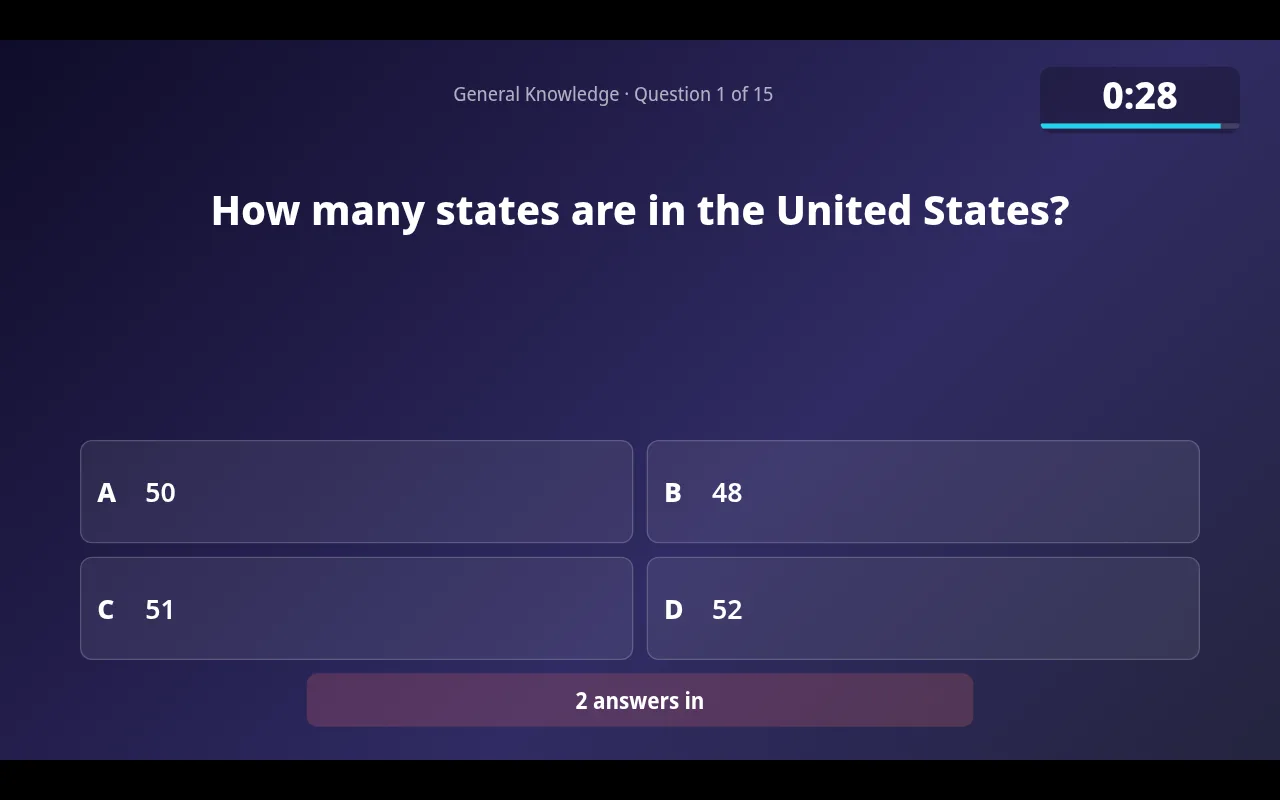
Everything runs in the browser. Plug your laptop into the venue TV for the presenter view, run the host console on the same laptop or on a tablet, and you are set. Teams join with a QR code, so you do not spend the first ten minutes handing out instructions.
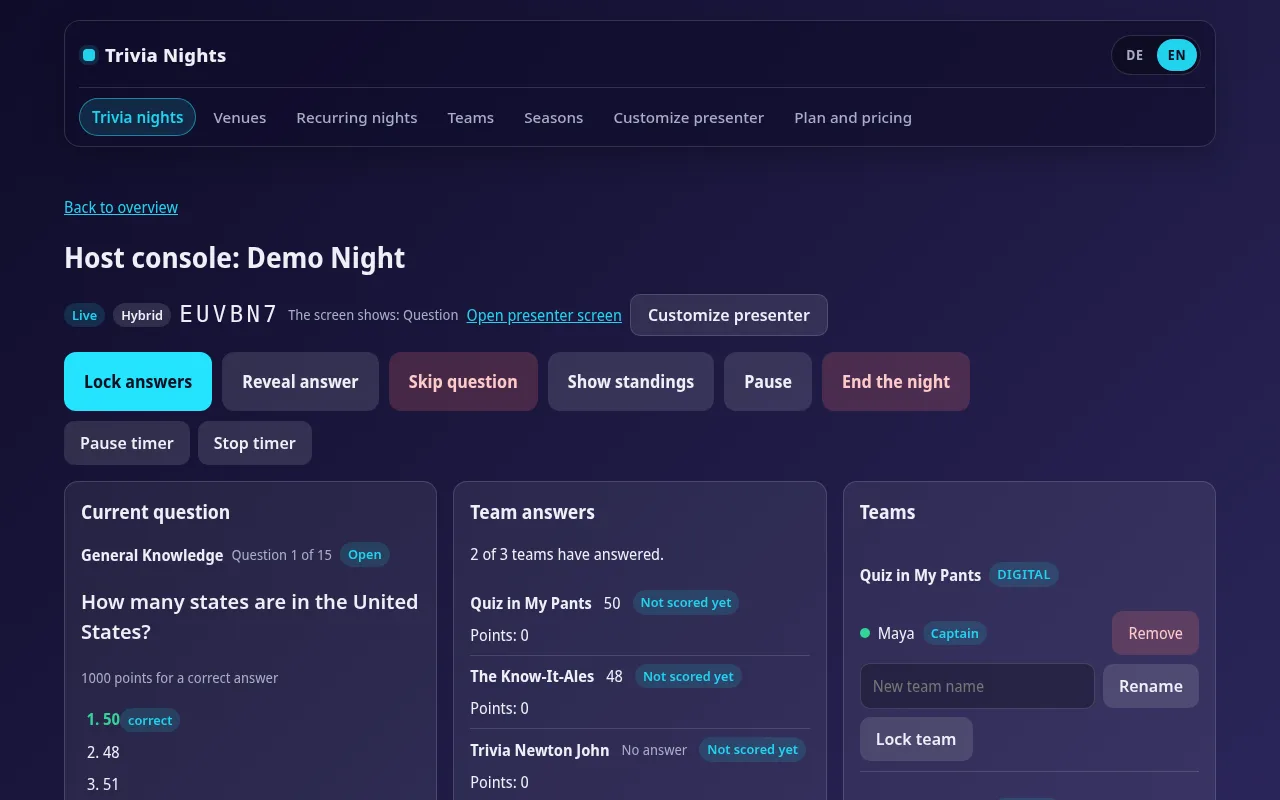
- Start questions, watch answers come in and reveal results from one screen.
- Answers lock automatically when the countdown ends.
- Judge close answers and correct scores, with every change logged by reason.
- Enter paper team scores so they share the leaderboard with phone teams.
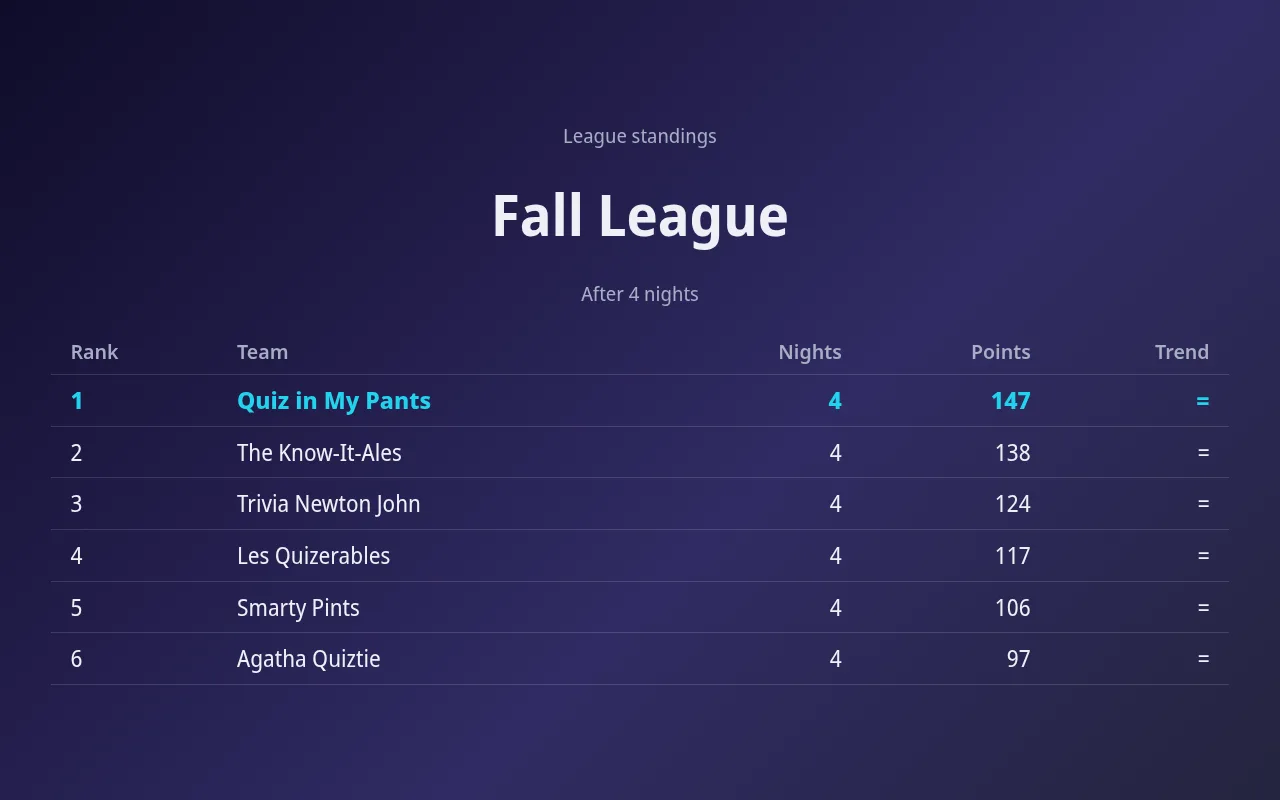
- Show the standings or the season table on the big screen between rounds.
Fair play across many venues
Running nights at several venues brings a new question: are you scoring the same way everywhere? The score log helps. Each correction is stored with the reason you entered, so you can review disputed calls later and keep rulings consistent across venues.
It also helps on busy weeks. Every night starts from the same saved template, and your regular teams and the current season are already in place, so the night runs the way each venue is used to.
Captain mode, where only one person per team submits answers, cuts down on mixed answers from one table. Players who lose signal or reload the page rejoin their team without the host stepping in.
Bring venues more players
Venues keep booking hosts who bring a crowd. With QuizTreff, you can publish each venue and its upcoming trivia dates on a public listing sorted by city. Nights can run in English or German if you host for international crowds. QuizTreff is in beta, has been tested with nights of up to 200 participants, and you can try it without a credit card.
What you can do with it
Templates
Save your round format once and reuse it for every night in a series.
Recurring nights
Weekly or monthly nights are created ahead of time automatically.
Host console
Run rounds, questions, timer and reveals from a laptop or tablet.
Design your big screen
Place and size every element on the big screen and pick colors and fonts, for one night, a recurring night or a whole venue. Once a night starts, its design is locked in.
Seasons and leagues
Standings across many nights, total or best results, with a big-screen view.
Regular teams
Teams that come back keep their name and results across nights.
Traceable corrections
Every score change is logged with a reason, even after the night ends.
Team captain
Optionally, one person per team submits the answers.
Public listings
If you choose, your venue and dates appear on a public page so new teams can find you.
Tested for nights with up to 200 players.
See it in action
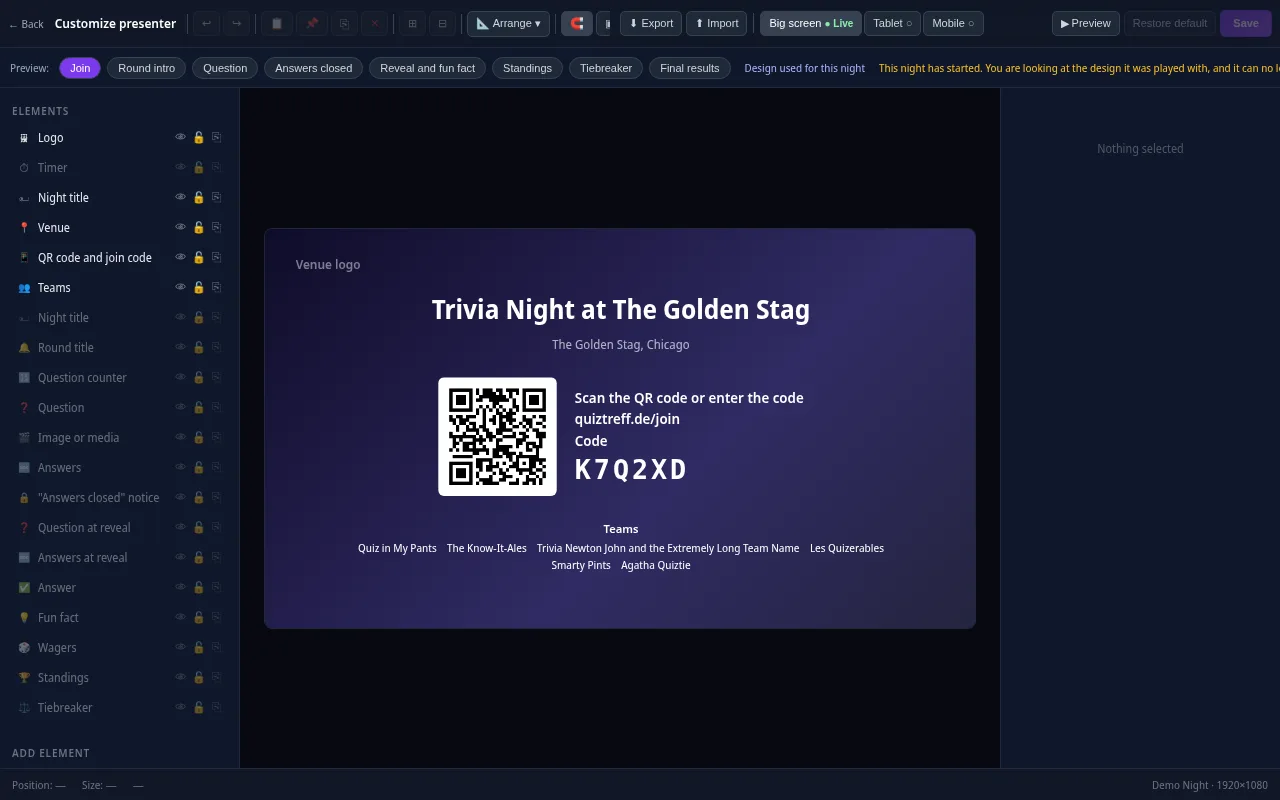
Presenter editor
Design your presenter screen down to the pixel
Every trivia night looks the way your venue wants it to. Drag the question, answers, timer, QR code and standings anywhere and resize them with your mouse.
- Move and resize every element freely, with guides and a grid
- Colors, font size, borders, corners, shadows and opacity for every element
- Upload your own images and add free text, boxes and badges
- Design eight screens separately: join, round start, question, answers locked, reveal, standings, tiebreaker and final results
- Preview for projector, tablet and phone, also in full screen
- Save it as a template and apply it to a venue or a whole series
Included in every plan, also during the free trial.
Frequently asked questions
Can I run several venues from one account?
Yes. The Operator plan covers up to five venues. Each venue gets its own recurring series and season standings, and your regular teams are managed in one list.
Can I reuse the same round format?
Yes. Save your format as a template and start each night from it, at any venue. Each account is used by one host. Separate logins for a second host are not available yet.
Do I need to bring a projector?
You need a screen the room can see. Most venues have a TV; plug in your laptop and open the presenter view.
How do I review a disputed score later?
Every score correction is logged with the reason the host entered, so you can check what changed and why.
Can I keep using paper at some venues?
Yes. Print PDF answer sheets and an answer key, then enter the scores. Paper and phone teams share one leaderboard.
Plan your first trivia night
Add your venue, pick a quiz and run a test night before your first teams show up.
Try it now