Beta
Trivia night at your brewery taproom
Taprooms make great trivia rooms: long tables, groups of friends and a crowd that stays for a second pour. They also bring their own challenges, from echoing concrete to kids and dogs under the table.
No credit card needed to try it.
Know your taproom crowd
A brewery crowd is wider than a bar crowd. You will see beer regulars, couples on a date, families on an early evening, coworkers after work and groups who came for the food truck. Some want to compete hard; others want something to do while they work through a flight.
Write for that mix. Keep the first round easy enough that every table scores, add a beer or local history round as a nod to the house, and save the hard questions for later in the night when the serious teams are pulling ahead.
Big rooms, hard surfaces, lots of noise
Concrete floors, steel tanks and high ceilings make taprooms loud. A host reading questions into an echo loses the back tables quickly. Use a decent speaker, keep music off while questions are read, and put every question on a screen so people who miss a word can still read it.
- Put the presenter view on the largest screen you have, or a projector on the brewhouse wall.
- If the room is long, add a second TV near the back showing the same view.
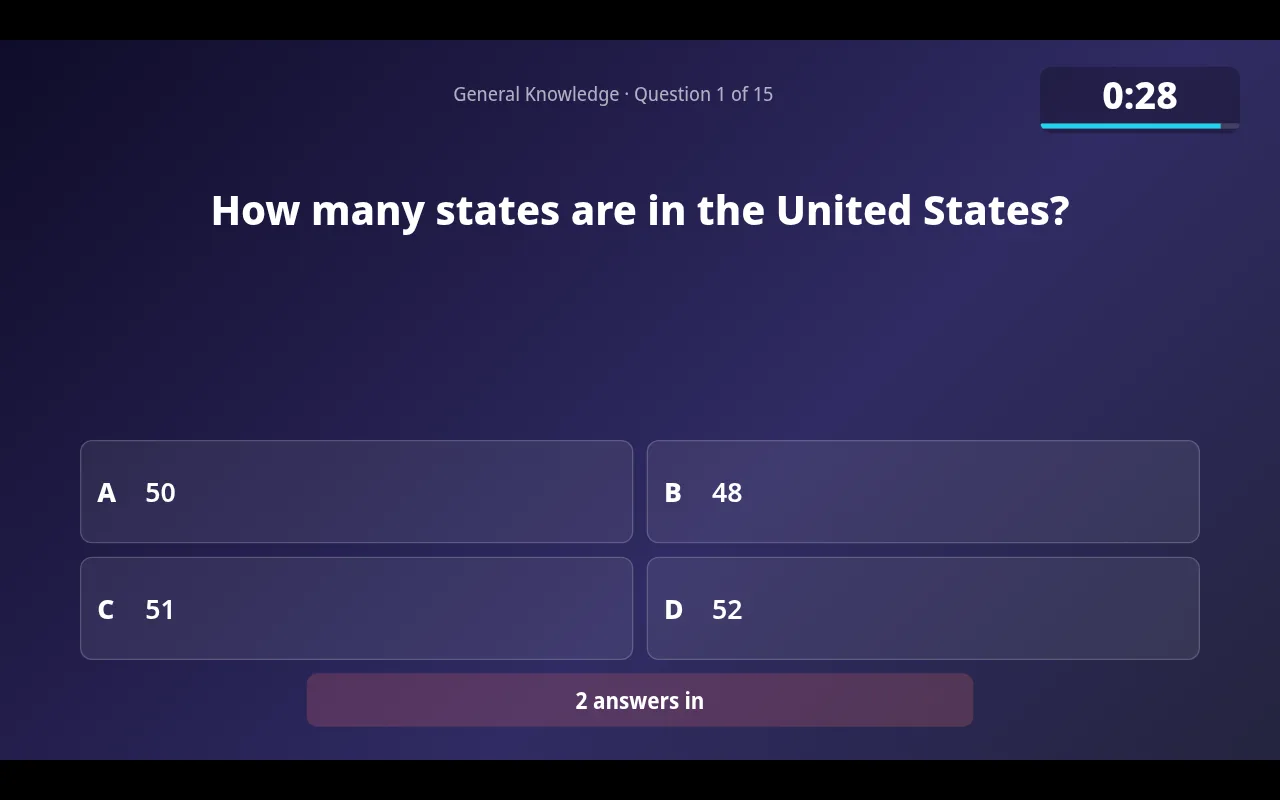
- Show the countdown on screen so teams know how much time is left without asking.
- Use the QR code on the big screen to let teams join without walking up to the host.
Seasonal leagues that match your release calendar
Breweries already think in seasons: a summer lager, a fall release, a winter stout. Trivia can follow the same calendar. Run a league for each season, crown a champion at the end, and tie the final night to a release party.
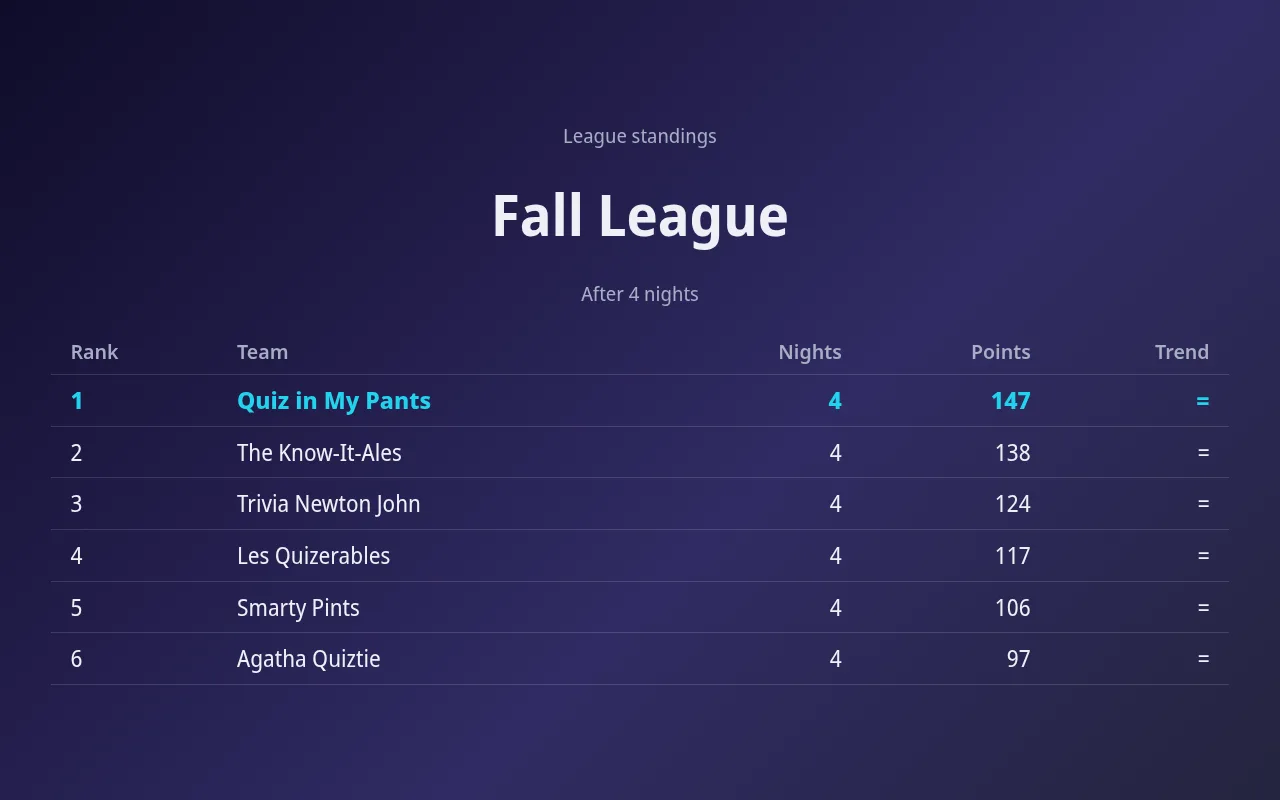
In QuizTreff, regular teams keep their results across nights, and the league view on the big screen shows season standings, counted either as total points or as each team's best nights. Teams that miss a week because of a softball game still have a shot.
Paper for guests without phones
Not everyone at a brewery wants to look at a phone. Some guests left theirs in the car, some have a dead battery after an afternoon outside, and some simply prefer a pen. Print PDF answer sheets and keep a stack at the host table. Your host scores them with the printed answer key and enters the points, and those teams appear on the same leaderboard as the phone teams.
Getting the first night going
Talk to your staff before the first night. Bartenders and servers are the ones who will mention trivia to guests at the bar, hand out answer sheets and point people to the QR code. Agree on where the host sets up (close to an outlet and with a clear view of the screen) and when the music goes down. Pick a weeknight that is slow but not empty, often Tuesday or Wednesday. Set it up as a recurring night so the dates appear automatically, and publish the schedule on the public listing so people searching for trivia nearby find you. QuizTreff is in beta, has been tested with nights of up to 200 participants, and you can try it without a credit card.
What you can do with it
Big-screen view
Questions, countdown, reveal and standings for a projector or TV, with a QR code to join.
Play on phones
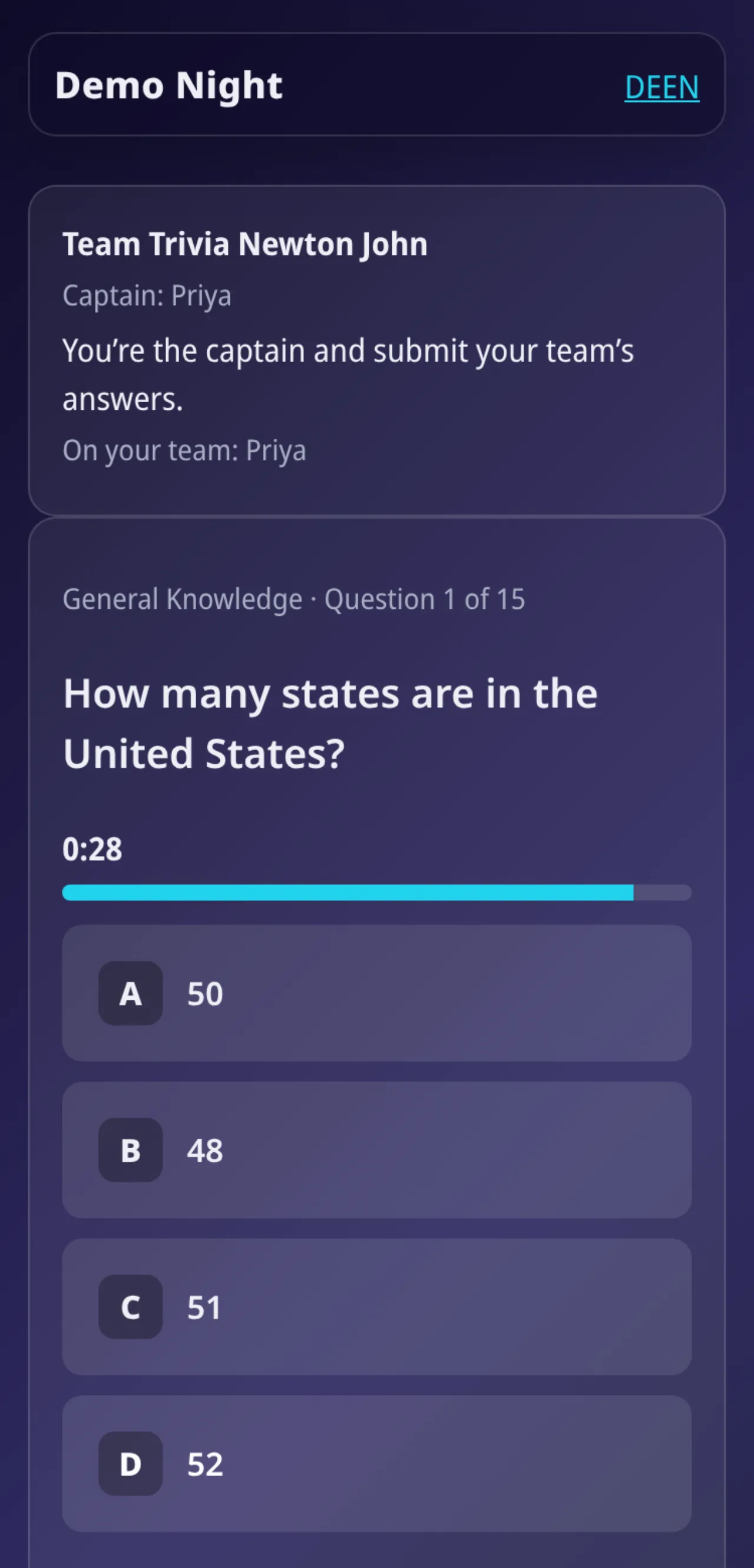
Teams join with a code or QR code and answer in the browser. No app to install.
Printable answer sheets
PDF answer sheets for teams and an answer key for you, ready to print.
Paper and phones together
Enter scores for paper teams yourself. They share one leaderboard with phone teams.
Seasons and leagues
Standings across many nights, total or best results, with a big-screen view.
Recurring nights
Weekly or monthly nights are created ahead of time automatically.
Public listings
If you choose, your venue and dates appear on a public page so new teams can find you.
Tested for nights with up to 200 players.
See it in action
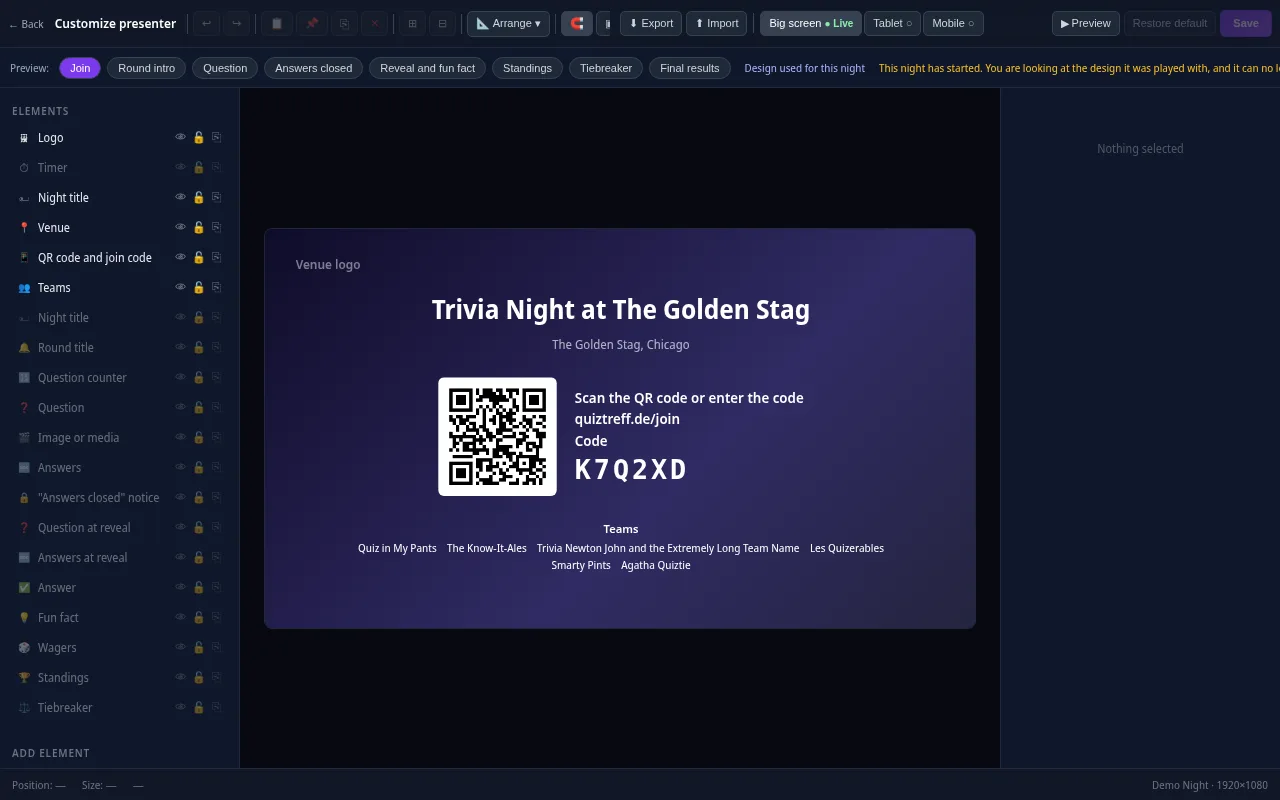
Presenter editor
Design your presenter screen down to the pixel
Every trivia night looks the way your venue wants it to. Drag the question, answers, timer, QR code and standings anywhere and resize them with your mouse.
- Move and resize every element freely, with guides and a grid
- Colors, font size, borders, corners, shadows and opacity for every element
- Upload your own images and add free text, boxes and badges
- Design eight screens separately: join, round start, question, answers locked, reveal, standings, tiebreaker and final results
- Preview for projector, tablet and phone, also in full screen
- Save it as a template and apply it to a venue or a whole series
Included in every plan, also during the free trial.
Frequently asked questions
Is trivia a good fit for a family friendly taproom?
Yes. Keep the content clean, start with an easy round and let families play as a team on paper or on one phone.
How do we deal with the noise?
Turn music off during questions, use a good speaker and show every question on a screen with the countdown, so teams can read what they missed.
Can we run a league tied to our seasonal beers?
Yes. Run a league per season, counting total points or best nights, and show the standings on the big screen.
What if guests do not have a phone with them?
Hand them a printed answer sheet. Their scores go on the same leaderboard as phone teams.
Plan your first trivia night
Add your venue, pick a quiz and run a test night before your first teams show up.
Try it now