Beta
Trivia night for restaurants
Trivia can turn a slow Monday or Tuesday dinner service into a reason to book a table. It works best when the game is built around the meal, not the other way around.
No credit card needed to try it.
Fit the game around dinner service
In a restaurant, the kitchen sets the pace. Tables order, eat and pay on their own schedule, and servers need to reach every table without stepping over a host reading questions. Plan the night in short blocks so the game and the service do not fight each other.
- Seat teams and take orders before the first round starts.
- Run one or two short rounds while appetizers go out.
- Take a longer break when mains hit the tables, and show the standings on screen.
- Play the remaining rounds over dessert and drinks.
- Finish with a wager question while checks go out, so tables are not left waiting.
Every table is a team
Restaurants have a natural advantage: guests are already seated in groups. Each table becomes a team, which removes the awkward team sign-up at the start. Guests at a two-top can play as a pair or join the table next to them if both sides agree.
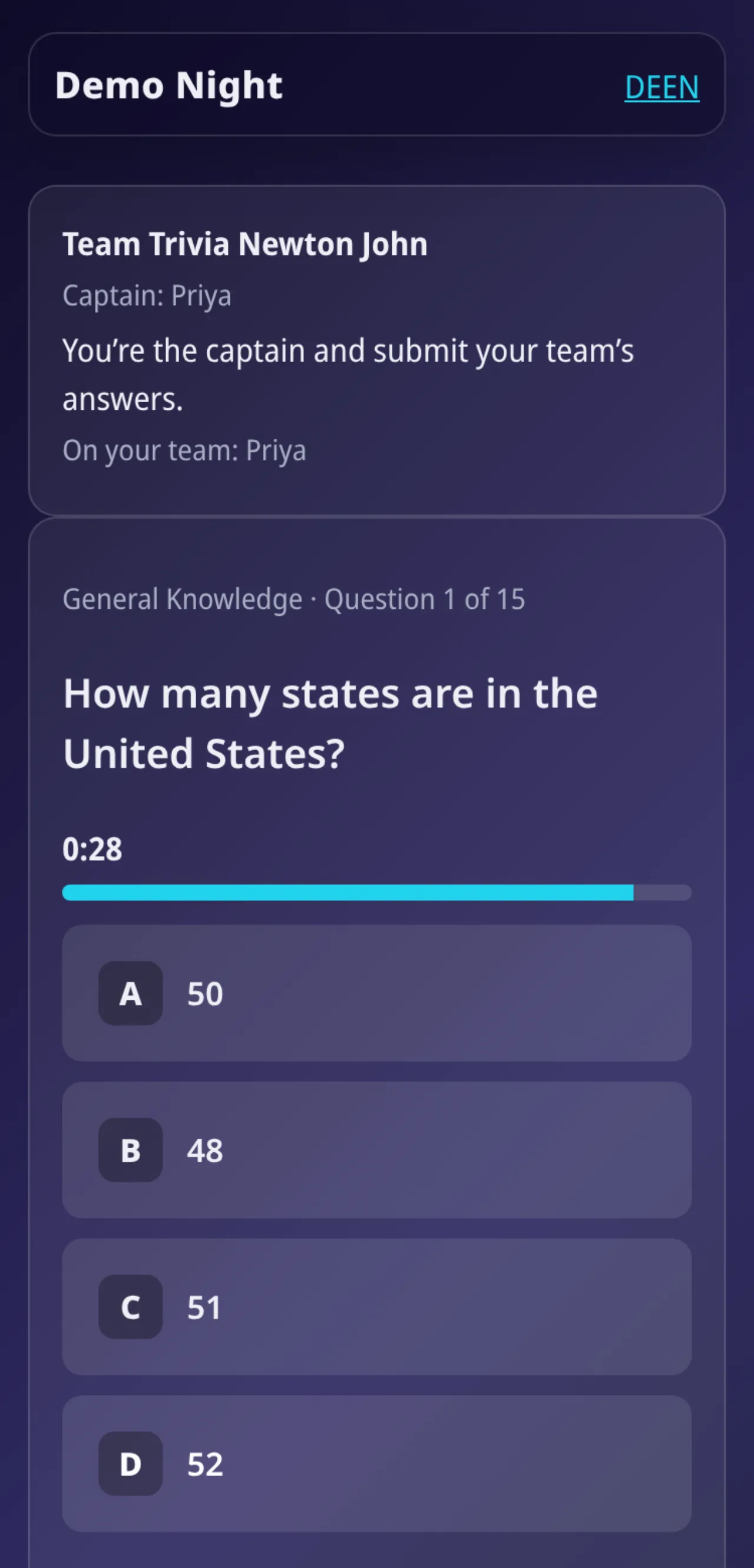
With captain mode in QuizTreff, one person per table submits the answers on a phone. The rest of the table can keep eating and arguing about the answer, which is half the fun anyway.
Quieter rooms need a lighter touch
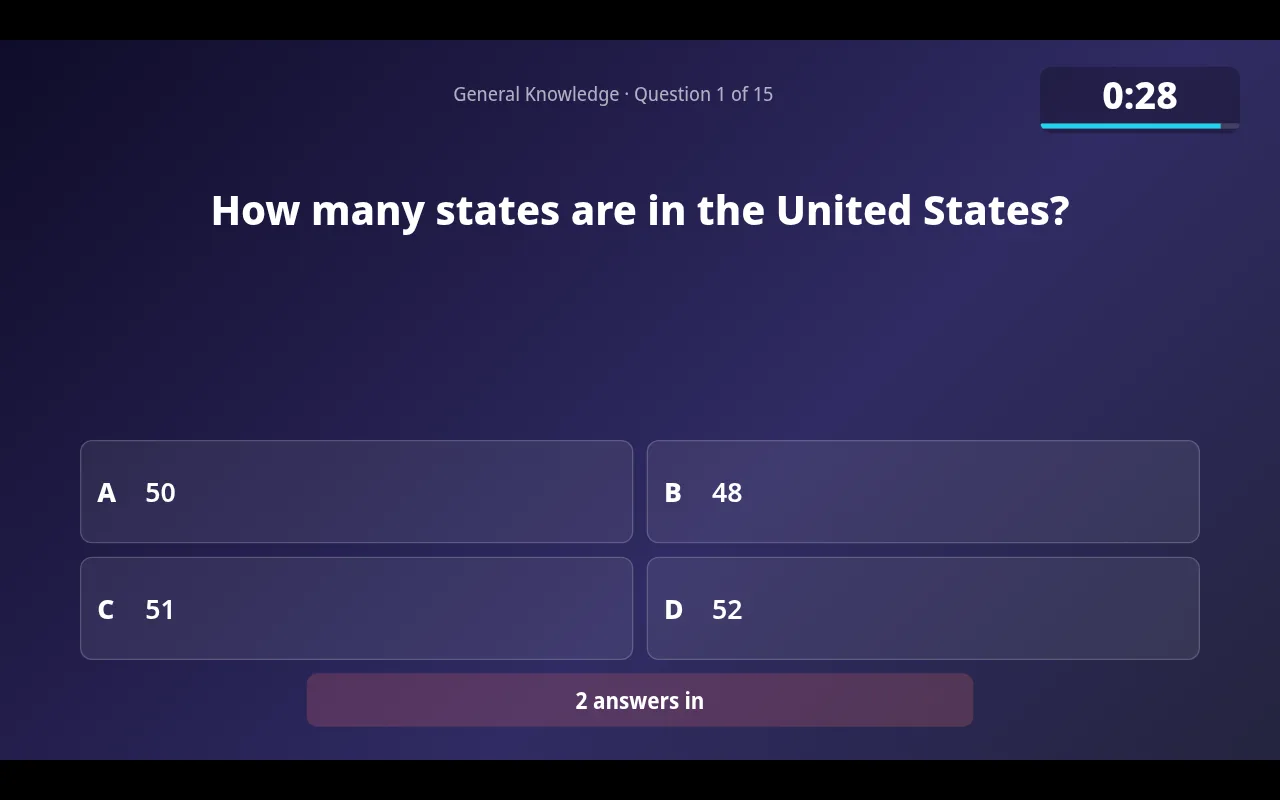
A restaurant is not a bar. Some guests came for a quiet dinner and did not know it was trivia night. Keep the microphone volume modest, keep the host's banter short and let the screen do more of the work. The presenter view shows each question with a countdown and the answer reveal, so the host does not have to repeat everything twice.
Mention trivia when guests book, and put a small card on each table explaining how to join. Guests who would rather not play can enjoy dinner without feeling pulled in.
Paper sheets work well at the table
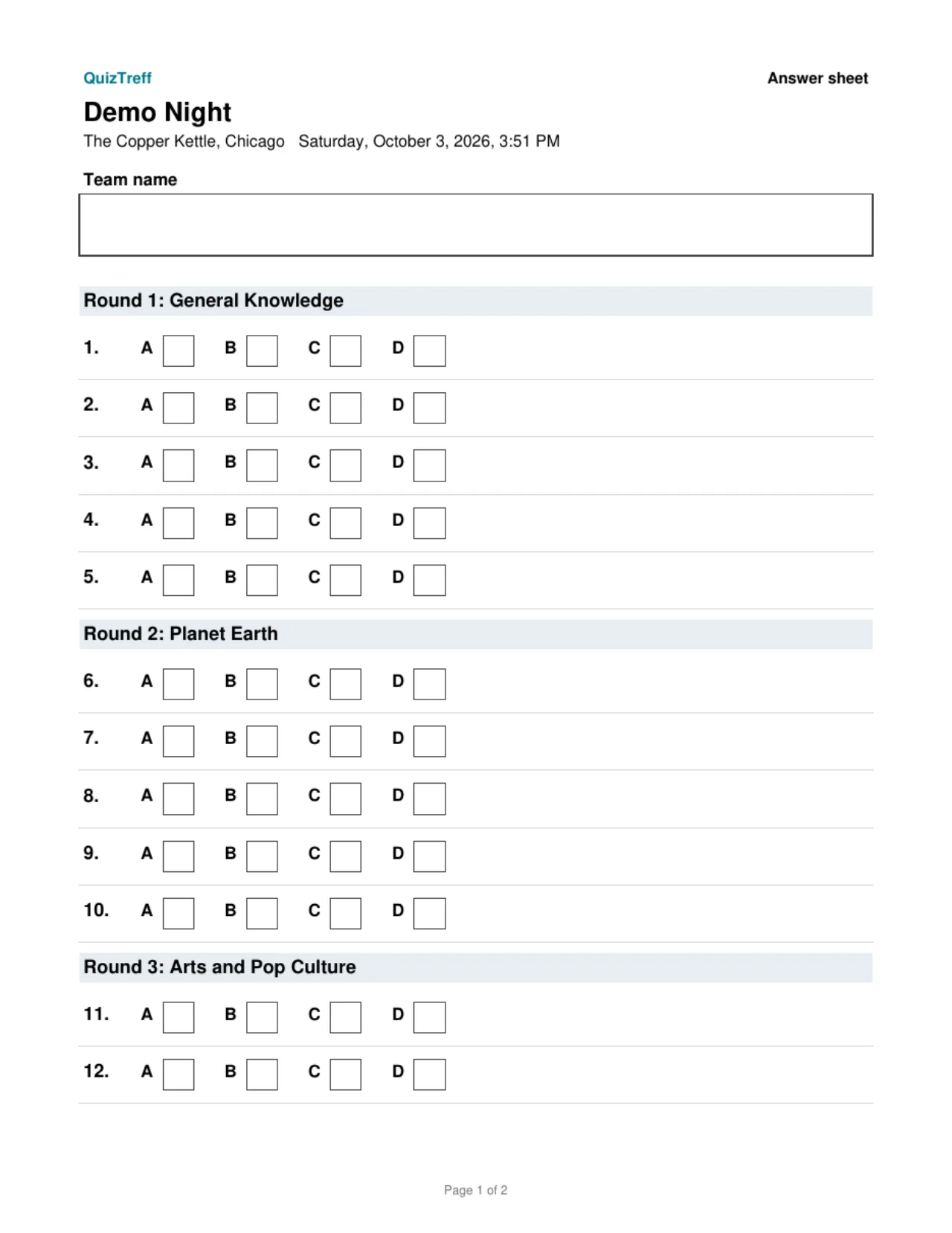
At dinner, phones are often face down on purpose. Printed answer sheets fit naturally next to the plates. Print PDF answer sheets before service and hand them out with the menus. The host or a server collects them after each round, scores them with the answer key and enters the points. Phone tables and paper tables share one leaderboard on the screen.
Filling the slow weeknights
Trivia works best when it is regular. Pick the slowest night and run it every week, so guests learn that Tuesday means trivia at your place. Set it up as a recurring night in QuizTreff and the dates appear automatically. Regular teams keep their results, so a family that comes back every week sees itself climb the standings.
Keep prizes simple and tied to the restaurant: a dessert for the winning table, a gift card for next week, or first pick of a reserved table for the following trivia night. A prize that brings the winners back is worth more than a bigger one they redeem once.
You can publish your restaurant and trivia dates on the public listing so people looking for trivia nearby find you. QuizTreff is in beta and you can try it without a credit card.
What you can do with it
Team captain
Optionally, one person per team submits the answers.
Printable answer sheets
PDF answer sheets for teams and an answer key for you, ready to print.
Paper and phones together
Enter scores for paper teams yourself. They share one leaderboard with phone teams.
Big-screen view
Questions, countdown, reveal and standings for a projector or TV, with a QR code to join.
Recurring nights
Weekly or monthly nights are created ahead of time automatically.
Regular teams
Teams that come back keep their name and results across nights.
Public listings
If you choose, your venue and dates appear on a public page so new teams can find you.
Tested for nights with up to 200 players.
See it in action
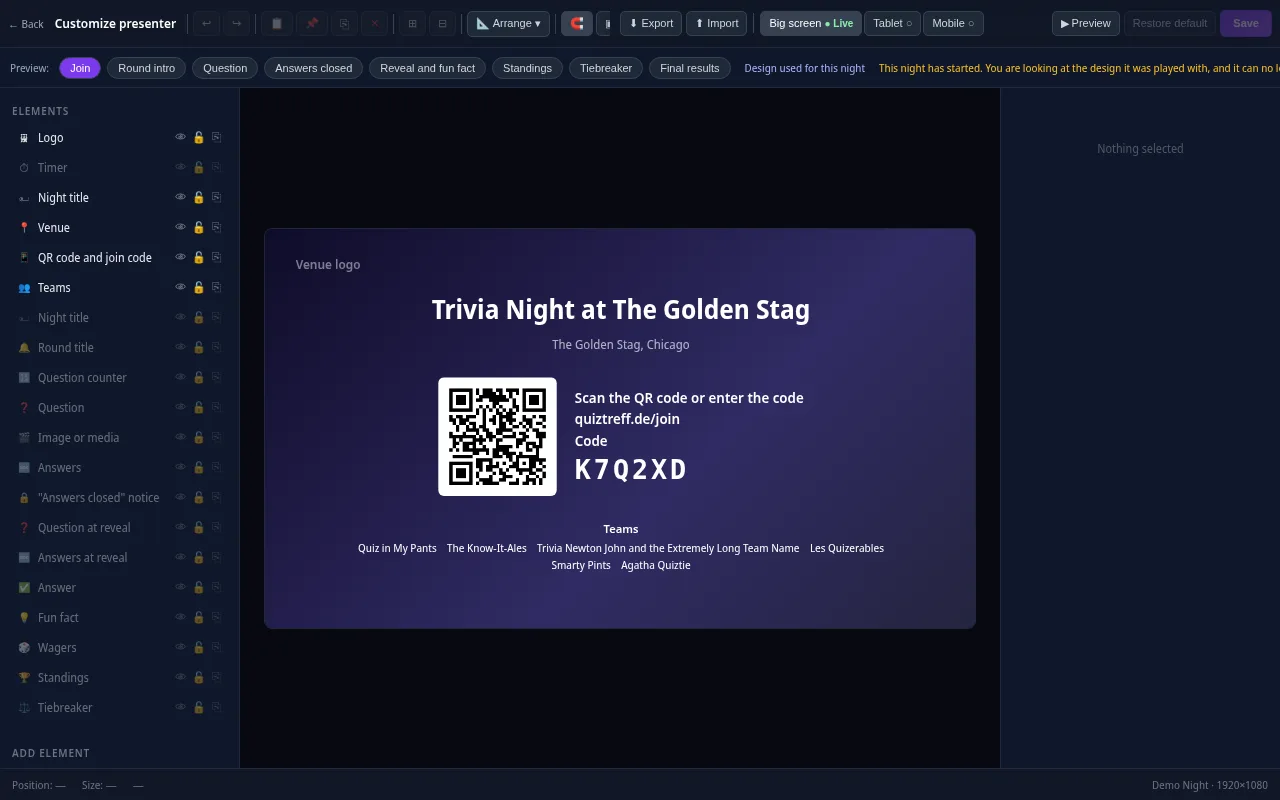
Presenter editor
Design your presenter screen down to the pixel
Every trivia night looks the way your venue wants it to. Drag the question, answers, timer, QR code and standings anywhere and resize them with your mouse.
- Move and resize every element freely, with guides and a grid
- Colors, font size, borders, corners, shadows and opacity for every element
- Upload your own images and add free text, boxes and badges
- Design eight screens separately: join, round start, question, answers locked, reveal, standings, tiebreaker and final results
- Preview for projector, tablet and phone, also in full screen
- Save it as a template and apply it to a venue or a whole series
Included in every plan, also during the free trial.
Frequently asked questions
How long should restaurant trivia run?
Many restaurants keep it to about 75 to 90 minutes with longer breaks during the main course, so tables are not held up.
Does every guest need to play?
No. Tables can choose to join. Keep the volume moderate so guests who just came for dinner are comfortable.
Can one person submit answers for the whole table?
Yes. Turn on captain mode and only one person per team submits answers from a phone.
Do guests need a phone?
No. Tables can play on printed answer sheets, and their scores appear on the same leaderboard as phone teams.
Plan your first trivia night
Add your venue, pick a quiz and run a test night before your first teams show up.
Try it now