Beta
How to run a trivia night, step by step
A good trivia night feels relaxed for the players and runs on a tight plan for the host. This guide walks through format, rounds, timing, rules, scoring and equipment.
No credit card needed to try it.
Pick a format before you write a single question
The classic bar format is five to seven rounds of eight to ten questions each, plus a final question. That lands at roughly 90 minutes to two hours, which is about how long a crowd will stay focused on a weeknight. Shorter nights work better in restaurants, where tables turn over; longer nights work in bars where teams settle in for the evening.
Mix round types. A general knowledge round is a safe opener. Themed rounds (90s movies, geography, food and drink) give specialists a moment to shine. A picture round or a music round breaks up the reading and gets the room talking.
Timing that keeps the room with you
Dead air kills a trivia night faster than a hard question. Give teams 45 to 90 seconds per question depending on difficulty, and leave a short break between rounds so people can order a drink. Use those breaks to show the standings; nothing brings a room back like seeing the scores.
Plan the night on paper with a rough clock: start time, each round, the halftime break, the final question. If you run long, cut a round rather than rushing the reveals, because the reveals are where the fun happens.
House rules worth announcing every week
Announce the rules at the start, even if most of the room has heard them before. New teams will thank you, and it makes later rulings much easier to defend.
- No looking up answers. Phones are for submitting answers only, or stay in pockets if you use paper.
- Maximum team size (six is common).
- Spelling: decide whether close counts, and say so up front.
- The host's decision is final, but teams can ask about a ruling after the round.
- How the final question and the tiebreaker work.
Scoring, the final wager and tiebreakers
Keep scoring simple: one point per correct answer, with the occasional half point for multi-part questions if you are comfortable judging them quickly. Post the standings after every round.
The final question is where teams wager part of their points. It keeps teams in last place interested until the end. Plan a tiebreaker as well, usually a closest-number question such as the year a landmark opened or the height of a building, so you are never stuck with two teams sharing first place.
Equipment checklist
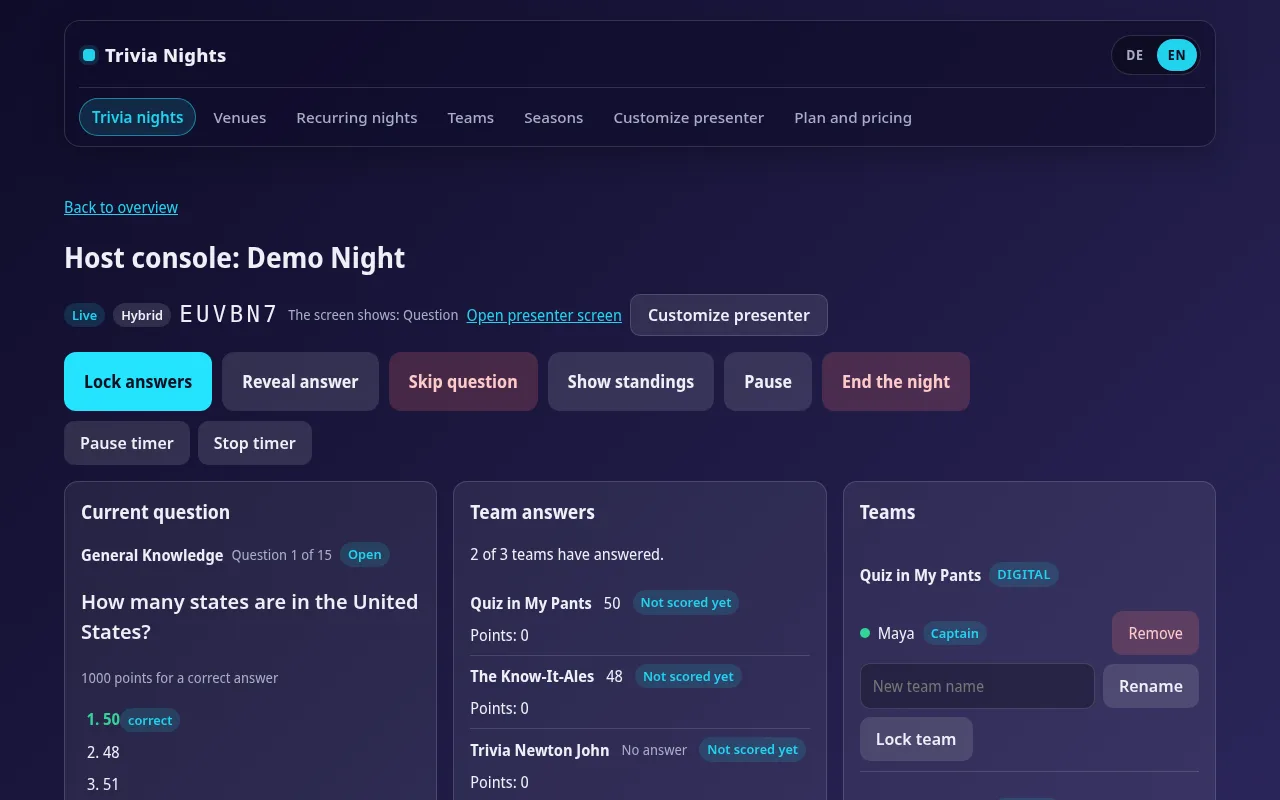
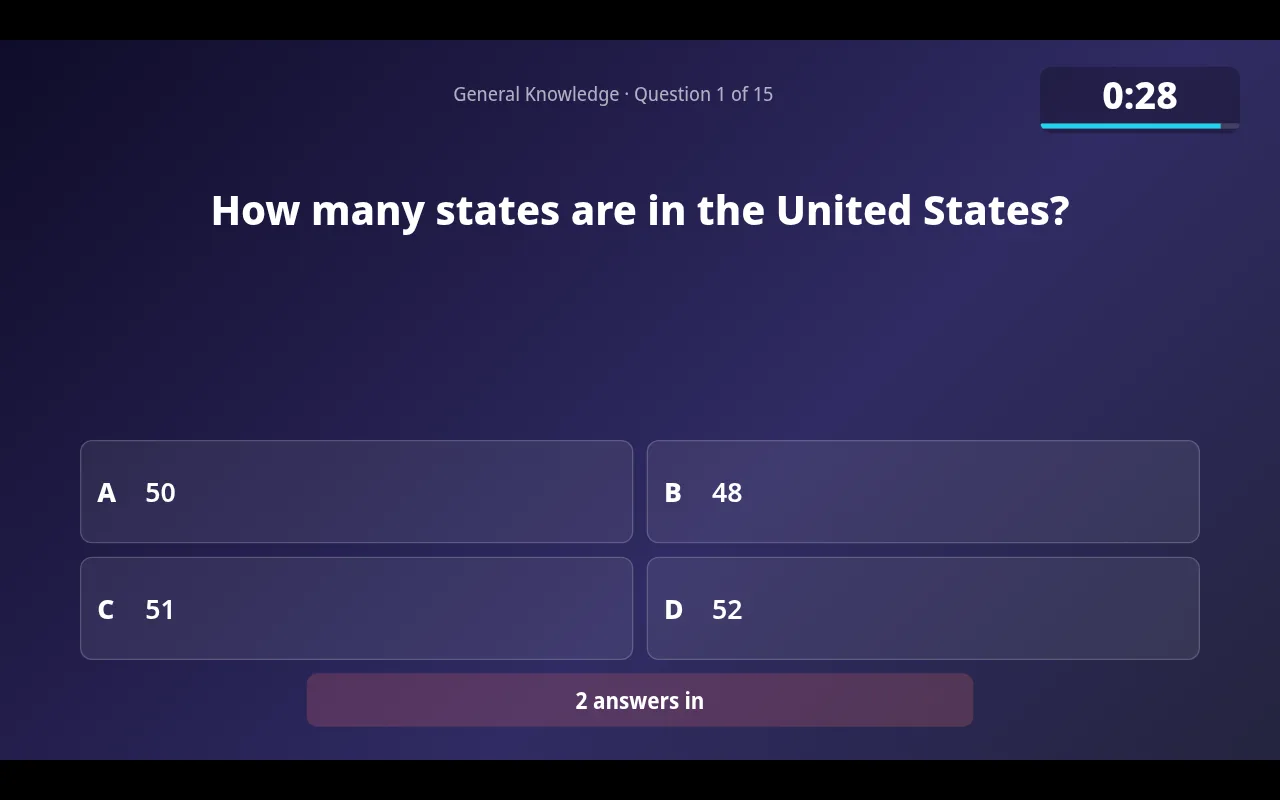
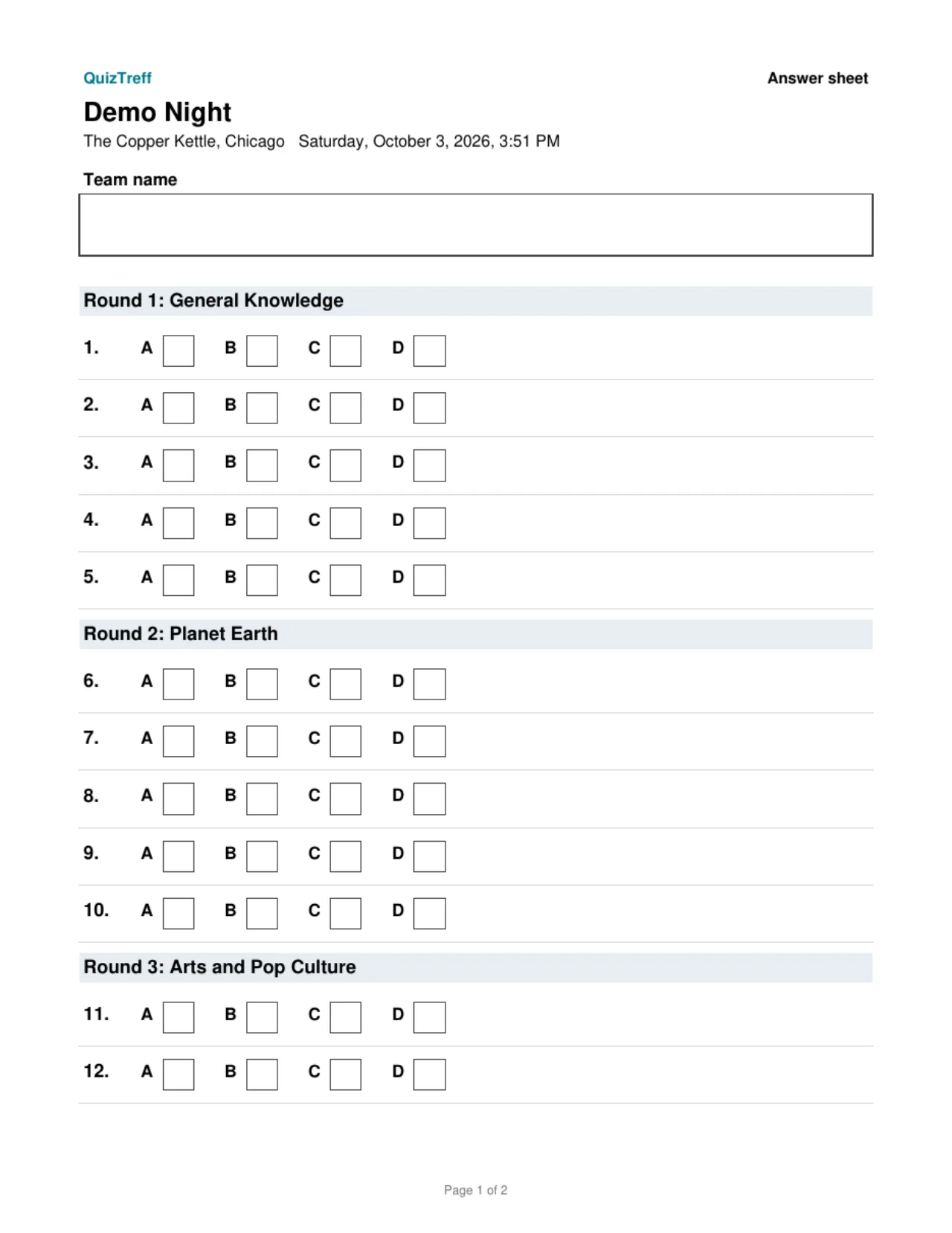
QuizTreff ties these pieces together. The host console runs on your laptop or tablet, the presenter view goes on the TV, teams join with a code or QR code in the browser, and the countdown locks answers automatically. You can print PDF answer sheets and an answer key for paper teams and enter their scores so they appear on the same leaderboard as the phone teams.
- A microphone and speaker that reach the back of the room
- A TV or projector for questions, the countdown and the standings
- A laptop or tablet for the host
- Printed answer sheets and pens for teams who play on paper
- Your question set, plus a few spare questions in case one gets thrown out
Run a test round first
Before your first night, do a full test at home: put the presenter view on a second screen, join as two teams from two phones, play a round and check the standings. Ten minutes of rehearsal saves a lot of fumbling with a microphone in one hand. QuizTreff is in beta and you can try it without a credit card.
What you can do with it
Host console
Run rounds, questions, timer and reveals from a laptop or tablet.
Big-screen view
Questions, countdown, reveal and standings for a projector or TV, with a QR code to join.
Automatic answer lock
Answers close when the timer runs out.
Printable answer sheets
PDF answer sheets for teams and an answer key for you, ready to print.
Paper and phones together
Enter scores for paper teams yourself. They share one leaderboard with phone teams.
Wager round
Teams bet points on their answer, win them if right, lose them if wrong.
Tiebreaker
A closest-number question settles ties.
Answer explanations
A short explanation appears on the big screen after the reveal.
Tested for nights with up to 200 players.
See it in action
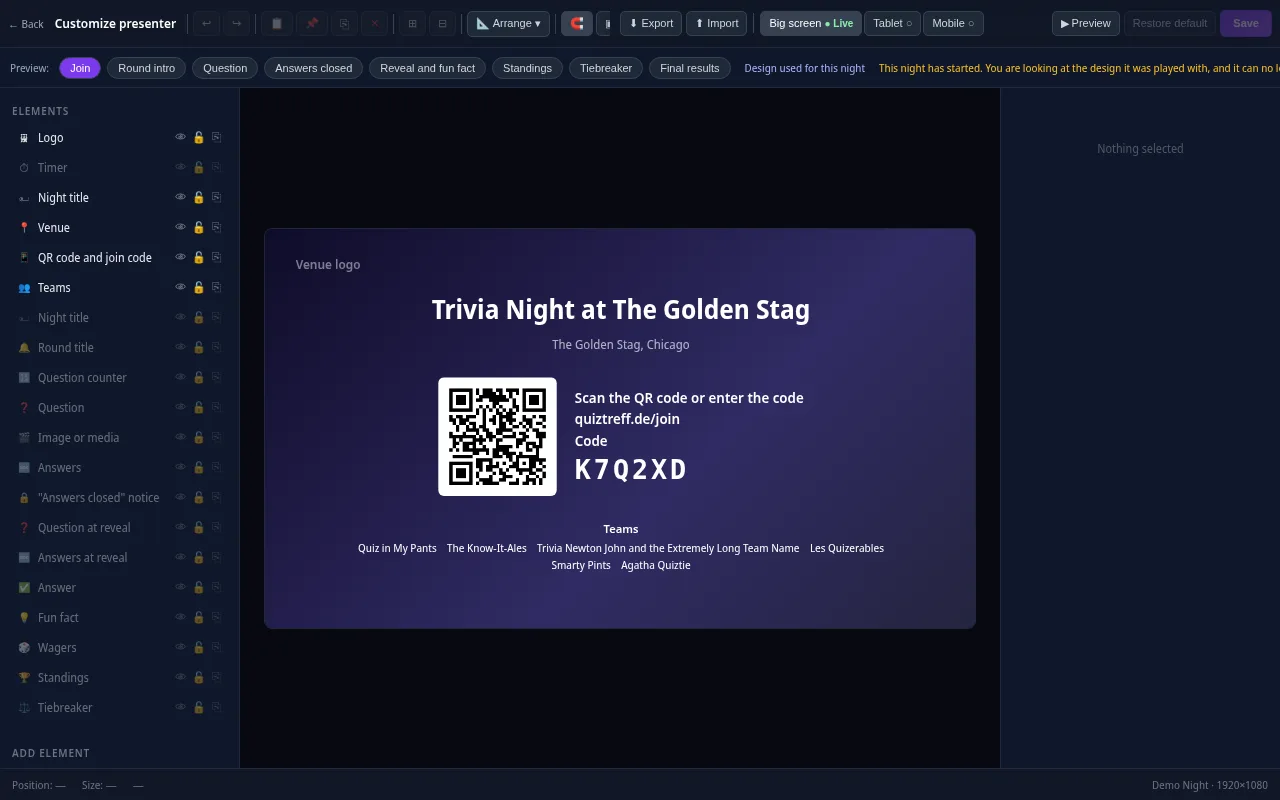
Presenter editor
Design your presenter screen down to the pixel
Every trivia night looks the way your venue wants it to. Drag the question, answers, timer, QR code and standings anywhere and resize them with your mouse.
- Move and resize every element freely, with guides and a grid
- Colors, font size, borders, corners, shadows and opacity for every element
- Upload your own images and add free text, boxes and badges
- Design eight screens separately: join, round start, question, answers locked, reveal, standings, tiebreaker and final results
- Preview for projector, tablet and phone, also in full screen
- Save it as a template and apply it to a venue or a whole series
Included in every plan, also during the free trial.
Frequently asked questions
How many questions does a trivia night need?
A common setup is five to seven rounds of eight to ten questions, plus a final question and one or two spare tiebreakers. That is roughly 50 to 70 questions.
How long should each question run?
Between 45 and 90 seconds works for most bar crowds. Picture and music rounds can run faster since teams answer as they go.
What is a good tiebreaker?
A closest-number question, such as a year, a distance or a population. The team whose answer is nearest wins, so there is always a result.
Can teams without smartphones still play?
Yes. With QuizTreff you print answer sheets for those teams and enter their scores. They show up on the same leaderboard as phone teams.
Do I need internet at the venue?
Yes. The host console, the big screen and the phone teams all connect through the browser, so the venue needs a working internet connection.
Plan your first trivia night
Add your venue, pick a quiz and run a test night before your first teams show up.
Try it now