Beta
Bar trivia software for weekly nights
QuizTreff helps bars run trivia every week without a pile of paper on the bar top: your regular nights are set up automatically, teams play on phones or paper, and the standings go up on your TV.
No credit card needed to try it.
Made for the bar's weekly rhythm
Trivia at a bar is a habit, not an event. The same night, the same start time, mostly the same teams. QuizTreff is set up around that. You create a recurring night once (every Wednesday at 7:30, for example) and the upcoming dates appear automatically. Whoever hosts that week opens the night, fills in the questions and is ready to go.
That matters when your host changes. If the bartender who usually runs trivia is out sick, a coworker can open the same night with the same format and the same teams, and the regulars barely notice.
Regular teams and season standings
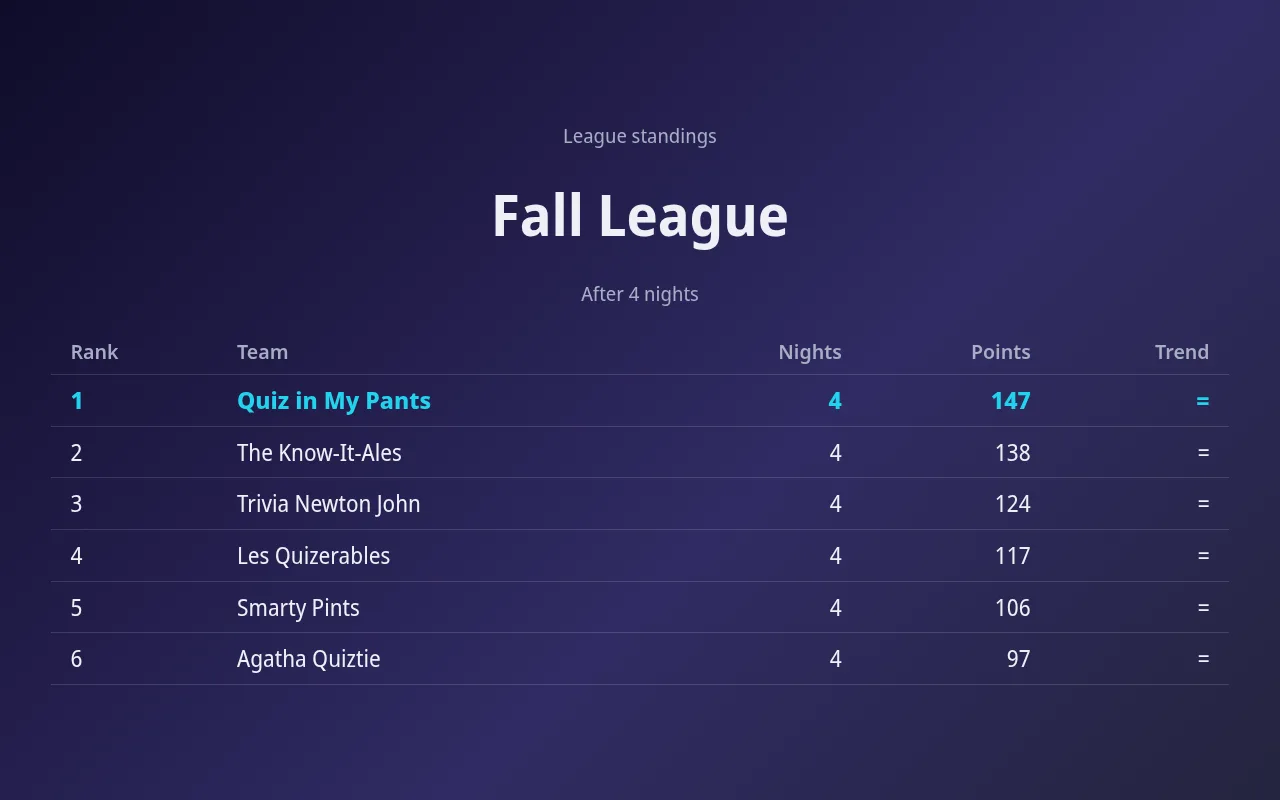
Your regulars want credit for showing up. In QuizTreff, regular teams keep their results from night to night instead of starting from zero each week. Run a season or league that counts total points or each team's best nights, and show the league table on the big screen before the first round.
A season gives teams in fourth or fifth place a reason to come back next week. That is the difference between a trivia night that slowly fades and one that fills the room for years.
Phones and paper at the same bar
Not every table wants to play on a phone. Some regulars have played with pens and answer sheets for years and are not going to change. Others never had a paper sheet in their lives. QuizTreff runs both in the same game.
- Phone teams join by QR code in the browser, no app needed.
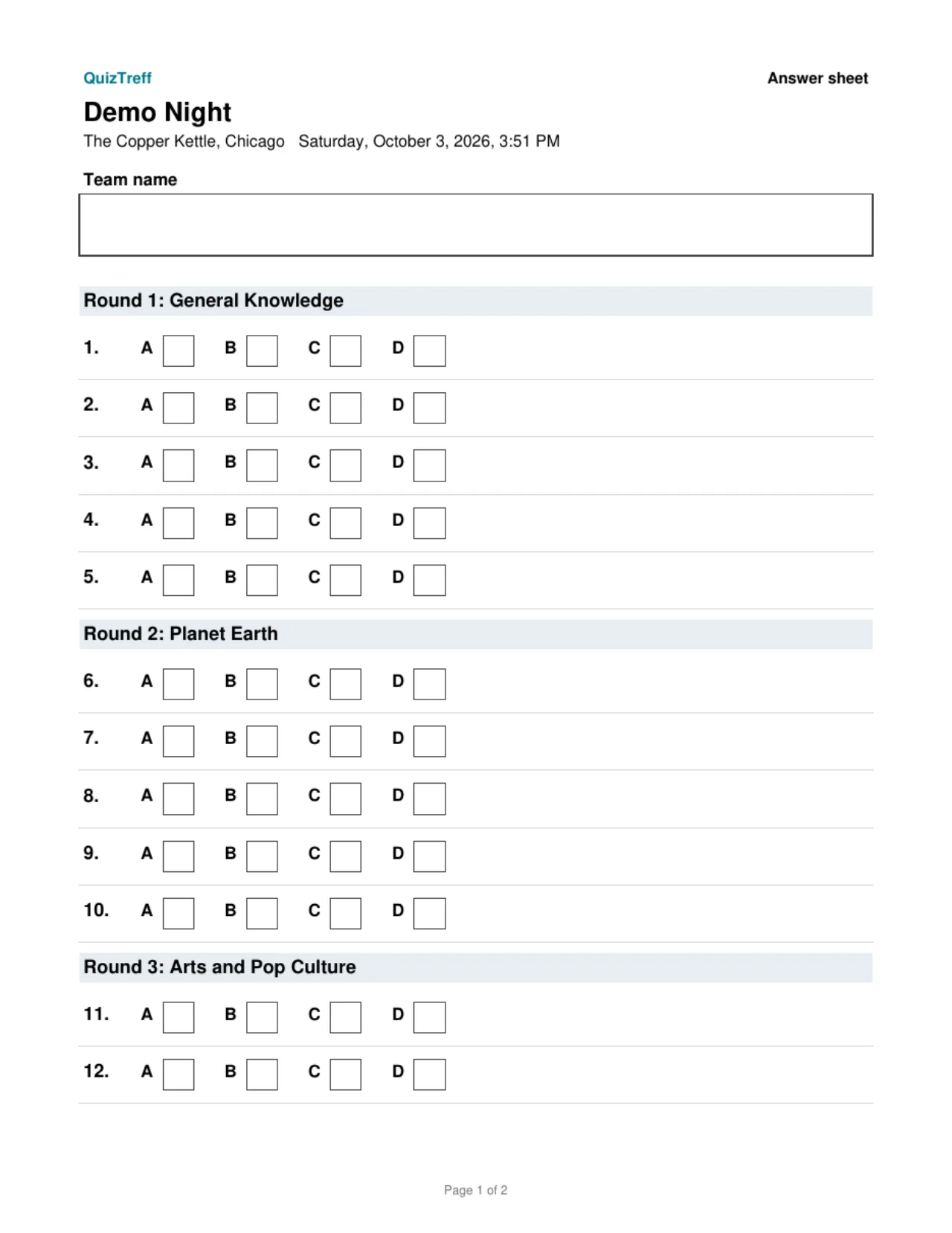
- Paper teams get printed PDF answer sheets.
- The host scores paper sheets with the printed answer key and enters the points.
- Everyone shows up on one leaderboard on the TV.
Fewer arguments at the bar
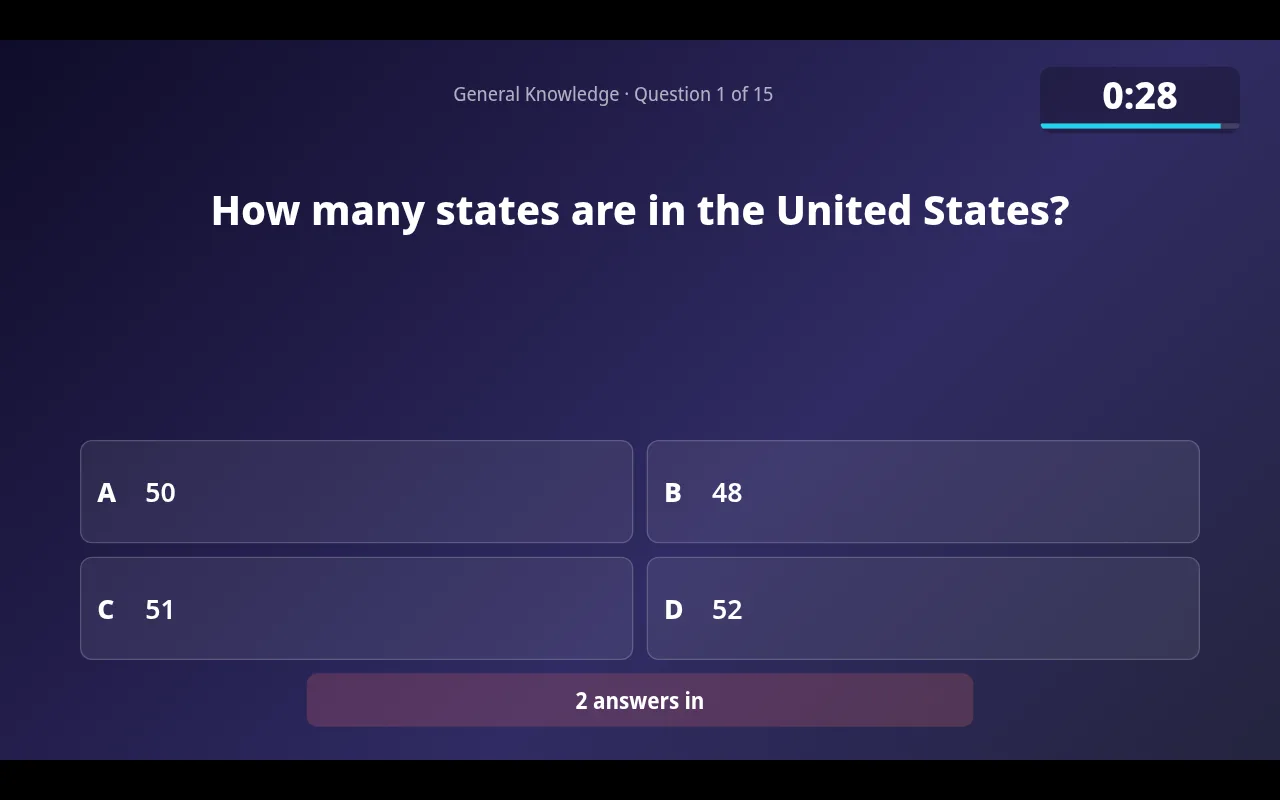
Answers lock automatically when the countdown ends, so there is no debate about who was late. When a score has to change, the correction is logged with a reason. And when two teams tie for first, a closest-number tiebreaker settles it on the spot instead of with a coin flip at closing time.
It also helps your staff. Nobody behind the bar has to add up columns on a scrap of paper between drink orders, and the host does not have to shout the standings over the noise. The leaderboard on the TV updates as soon as a round is scored, and teams can check it on their phones while they wait for the next question.
Get new teams through the door
Your trivia night only grows if new people hear about it. QuizTreff can list your bar and upcoming trivia dates on a public listing sorted by city, so someone searching for trivia nearby sees your next night with the date and start time. You turn the listing on or off whenever you like.
To get started, set up your first night, put the presenter view on the bar's TV and play a test round from your phone. QuizTreff is in beta and you can try it without a credit card.
What you can do with it
Recurring nights
Weekly or monthly nights are created ahead of time automatically.
Regular teams
Teams that come back keep their name and results across nights.
Seasons and leagues
Standings across many nights, total or best results, with a big-screen view.
Design your big screen
Place and size every element on the big screen and pick colors and fonts, for one night, a recurring night or a whole venue. Once a night starts, its design is locked in.
Printable answer sheets
PDF answer sheets for teams and an answer key for you, ready to print.
Paper and phones together
Enter scores for paper teams yourself. They share one leaderboard with phone teams.
Automatic answer lock
Answers close when the timer runs out.
Tiebreaker
A closest-number question settles ties.
Public listings
If you choose, your venue and dates appear on a public page so new teams can find you.
Wager round
Teams bet points on their answer, win them if right, lose them if wrong.
Your own logo
Upload your logo and your own images for each venue. They appear on the big screen, and only your account can use them.
Tested for nights with up to 200 players.
See it in action
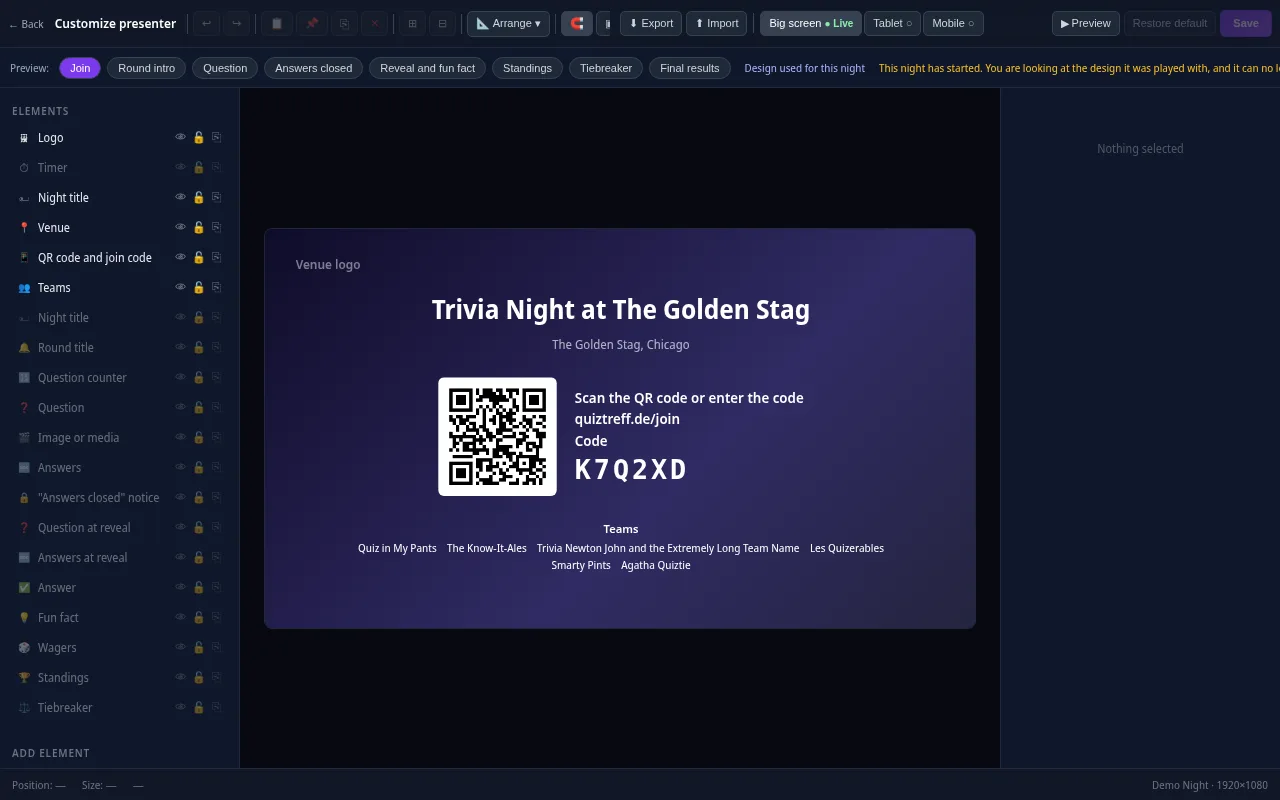
Presenter editor
Design your presenter screen down to the pixel
Every trivia night looks the way your venue wants it to. Drag the question, answers, timer, QR code and standings anywhere and resize them with your mouse.
- Move and resize every element freely, with guides and a grid
- Colors, font size, borders, corners, shadows and opacity for every element
- Upload your own images and add free text, boxes and badges
- Design eight screens separately: join, round start, question, answers locked, reveal, standings, tiebreaker and final results
- Preview for projector, tablet and phone, also in full screen
- Save it as a template and apply it to a venue or a whole series
Included in every plan, also during the free trial.
Frequently asked questions
Can our bartender run trivia with this?
Yes. The host console handles the timer, answers and scoring, so a staff member can host without keeping score by hand.
Do we need a special TV setup?
Any TV or projector that can show a browser window works. Connect a laptop or use a device that can open the presenter view.
What if our host changes from week to week?
The recurring night, the format and the regular teams stay in place, so whoever hosts that week picks up where the last host left off.
Can we see results from past nights?
Yes. Regular teams keep their results across nights, and the league view shows the season standings.
Plan your first trivia night
Add your venue, pick a quiz and run a test night before your first teams show up.
Try it now